Testing Voltage with a Multimeter: A Step-by-Step Guide
Learn how to safely test voltage with a multimeter, cover DC and AC measurements, understand meter modes, and interpret readings in electrical and automotive contexts with practical, step-by-step guidance from 10ohmeter.


In this guide you will learn how to safely test voltage with a multimeter, including when to use DC versus AC measurements, how to select the correct range, and how to interpret readings. You’ll verify power presence in circuits, automotive supplies, and household outlets while following essential safety practices. By the end you’ll be able to perform basic voltage checks with confidence and avoid common mistakes.
What testing voltage with a multimeter teaches you
Testing voltage with a multimeter is a foundational skill for any DIY electronics project or automotive diagnostic. It teaches you how to confirm whether a circuit is powered, identify potential voltage leaks, and validate that a component receives the expected supply. The measurements you perform will depend on whether you are checking direct current (DC) or alternating current (AC) voltages, and they require careful probe placement and respect for safety limits. According to 10ohmeter, understanding voltage in real-world contexts — such as a battery pack, a wall outlet, or a vehicle’s electrical system — strengthens your troubleshooting capability and reduces the risk of damage to parts or yourself. In this section you’ll see how voltage testing fits into broader diagnostic workflows and why precision, not guesswork, matters when you’re working with live circuits.
Safety first: essential precautions before you begin
Safety is not optional when testing voltage with a multimeter. Before any measurement, inspect your tools for damage or wear, wear eye protection, and keep one hand behind your back to minimize body path exposure in case of a fault. Work on a non-conductive surface and unplug devices when possible. If you must work with powered equipment, use insulated gloves and keep your workspace dry. Never touch the metal parts of the probes while measuring. When testing potentially dangerous voltages (above basic household levels or in automotive systems), have a clear plan to shut off power and relocate your body to a safe stance. The 10ohmeter team emphasizes that a safe setup dramatically reduces the risk of shock or arc flash and keeps your test results trustworthy.
Understanding DC and AC voltage, and why true RMS matters
A digital multimeter can read DC voltage (VDC) and AC voltage (VAC). DC is steady, like a battery supply, while AC fluctuates with the power grid. Some meters display true RMS, which yields more accurate readings for non-sinusoidal waveforms common in modern electronics. If your device does not offer true RMS, you may see fluctuations that reflect waveform distortion rather than actual voltage changes. Recognizing which mode to use and when to rely on RMS values helps you interpret measurements correctly, especially in automotive and high-frequency circuits where simple averaging can mislead.
Tools, environment, and meter selection
Your bench setup should prioritize stable power, a clean work area, and clearly labeled test points. Choose a digital multimeter (DMM) with voltage measurement capability, a safe voltage range, and probes with insulated handles. Use proxy indicators like a non-contact tester for quick spot checks, but rely on the DMM for precise readings. Maintain clean test leads and replace damaged probes immediately. Keep the meter in a grounded, dry environment, and avoid placing it near heat sources or moisture. A quality meter with auto-ranging and good resolution helps in both basic and advanced tests, especially when you need to compare readings across circuits. The goal is consistent, repeatable measurements in a controlled environment.
How to approach a voltage measurement in practice
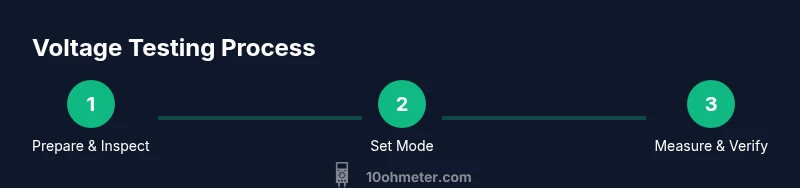
Start by confirming the circuit is within your meter’s safe measurement range. Set the meter to the correct voltage mode (DC or AC) and, if needed, to a reasonable range. Connect the ground/reference probe to the common point and the measurement probe to the test point. Read the display and note any fluctuations. If you are measuring across a component, ensure the circuit is prepared to avoid shorting. For DC checks, measure across power rails; for AC checks, measure across outlets or AC-carrying conductors while keeping hands behind the probes. Always double-check the test points before applying power and avoid touching exposed metal.
Real-world scenarios: home outlets vs automotive circuits
Outlets in homes typically supply AC at standardized voltages (e.g., 120 VAC or 230 VAC depending on country). Automotive systems are often 12 V DC, with occasional higher voltages for certain diagnostics. When testing an outlet, use the AC setting and measure across the two slots with the ground probe in contact with the ground. For automotive tests, disconnect or isolate circuits when possible, and measure between the battery terminals or across fuses as a baseline. In both contexts, consistency is key: verify with a known source (like a known-good battery) if readings seem off. This helps distinguish a faulty outlet or bad wiring from a meter issue.
Reading readings, common errors, and troubleshooting
Readings can drift due to contact resistance, dirty probes, or poor connections. Common mistakes include placing probes in the wrong ports, using the wrong mode, or omitting the common ground reference. If you see a wildly fluctuating value, recheck the probe contact and ensure the circuit is stable. For very small voltages, precision and calibration matter; consider using a meter with higher resolution or verifying the setup with a reference source. Remember to switch off the device after testing and store probes properly to avoid damage.
Maintenance, calibration, and safe storage
Regularly inspect your multimeter for cracks or wear on the casing and test leads. Calibrate or verify accuracy against a known reference voltage if your device supports it, and replace batteries when readings drift. Store the meter in a dry, temperature-controlled place and avoid dropping it. Keep test leads clean and away from solvents or sharp edges. Routine upkeep ensures long-term reliability and accurate voltage readings across projects.
Tools & Materials
- Digital multimeter (with voltage measurement capability)(Prefer auto-ranging and true RMS for accurate AC measurements)
- Test leads with insulated probes(Check for cracks and ensure proper insulation)
- Safety glasses(Always wear when testing live circuits)
- Insulated gloves (optional for high-voltage work)(Use when dealing with exposed conductors beyond household voltages)
- Non-contact voltage tester (optional)(Good for quick checks before contact measurements)
- Electrical tape and dry surface(Keep test points clean and labeled)
- Reference battery or known-good source for quick checks(Helps validate meter accuracy during practice)
Steps
Estimated time: 20-30 minutes
- 1
Inspect and set up tools
Before touching any circuit, inspect the multimeter, leads, and probes for damage. Confirm the meter is powered off, then connect the test leads to the COM and V/Ω ports as appropriate for voltage measurement. This ensures you won’t misread or create a fault when power is applied.
Tip: If in doubt, test the meter on a known supply to verify operation. - 2
Choose the correct mode
Determine whether you’re measuring DC or AC voltage. For DC circuits, select DC voltage; for mains or AC-powered devices, select AC voltage. If your meter offers auto-range, enable it to let the device choose the best range automatically; otherwise choose a range that comfortably covers the expected voltage.
Tip: Double-check mode and range before touching any live conductors. - 3
Connect probes to the circuit
Place the black probe on the reference/ground point and the red probe on the test point. Ensure hands stay away from exposed conductors. Maintain a steady contact and avoid twisting or wiggling the leads during the measurement.
Tip: A stable grip helps prevent contact bounce that can affect readings. - 4
Take a DC voltage reading
Power the circuit or connect the battery and read the DC voltage. Note the value and any variation as the circuit operates. If the reading looks wrong, recheck connections and verify the test point.
Tip: Compare against a known-good reference when possible. - 5
Take an AC voltage reading
Switch to AC voltage, measure across a live outlet or AC-carrying wire, and observe the waveform in terms of stability and amplitude. If the value is wildly erratic, recheck the connections and ensure safety before reattempting.
Tip: Do not touch the metal parts of the probes during AC measurement. - 6
Validate readings with a reference
Use a known reference source to confirm that the meter reads correctly. If your reading deviates beyond the meter’s tolerance, avoid relying on it and perform a recalibration or service check.
Tip: Document any out-of-range readings for future reference. - 7
Power down and disconnect
Turn off the circuit, remove the probes, and power down the meter. Re-store probes neatly to prevent damage. Wipe the work area clean and label findings for future tasks.
Tip: Always unplug devices before removing probes to avoid shocks. - 8
Review and reflect on results
Summarize what you found, noting any discrepancies or unusual readings. Plan next steps for verification or repairs and consider documenting the procedure for repeatability.
Tip: Keep a small log of measurements to track circuit changes over time.
Your Questions Answered
Is it safe to test voltage with a multimeter on live circuits?
Yes, but only with proper safety precautions: wear eye protection, use insulated tools, and avoid touching exposed conductors. For high voltages, power down when possible and verify circuits before testing.
Yes, but use proper safety gear and techniques. Avoid touching exposed conductors and power down when possible for high voltage tests.
How do I choose the right range on my multimeter for voltage?
If your meter has auto-range, enable it to let the device select an appropriate range. If you must choose a range manually, pick one that is higher than the expected voltage to prevent overloading the meter, then refine as needed.
Use auto-range if available; otherwise select a range above the expected voltage and adjust as needed.
What’s the difference between DC and AC voltage measurements?
DC voltage is constant, such as from batteries, while AC voltage varies with the power grid. Use the meter’s DC setting for batteries and circuits, and AC for outlets. Some meters report true RMS for more accurate readings on non-sinusoidal signals.
DC is steady like a battery; AC comes from the wall. Use DC mode for batteries, AC for outlets, and check if your meter supports true RMS.
What common errors should I avoid when measuring voltage?
Avoid touching live conductors, using damaged leads, or misplacing the probes. Don’t rely on guesswork about mode or range. Verify readings with a reference source if possible and ensure connections are solid before powering the circuit.
Don’t touch live conductors, check leads, and verify with a reference source when possible.
Can I measure voltage in a car’s electrical system with a standard meter?
Yes, but take extra precautions: battery safety, appropriate current paths, and respect for the 12V DC system. Use insulated gloves and avoid forcing probes into tight spaces. For high-current tests, consider other diagnostic methods in addition to voltage checks.
You can, but take extra precautions for the car’s 12V system and use proper safety gear.
Why does my reading drift when testing a power supply?
Drift can come from poor contacts, fluctuating load, or a dirty connection. Re-check probe contacts, clean test points if needed, and ensure the supply remains stable during measurement. If drift persists, consider a higher-precision meter.
Drift usually means contact issues or unstable load; recheck connections and test points.
Key Takeaways
- Know when to use DC vs AC voltage mode
- Always prioritize safety first and verify proper probe placement
- True RMS readings improve accuracy with non-sinusoidal signals
- Validate meter accuracy with a known reference
- Document results for future troubleshooting