Measuring Voltage with a Multimeter: Step-by-Step Guide
Learn how to safely measure voltage with a multimeter, covering DC and AC voltage, proper range selection, probe placement, and practical tips. This educational guide from 10ohmeter helps DIY enthusiasts and technicians achieve accurate readings while avoiding common mistakes.


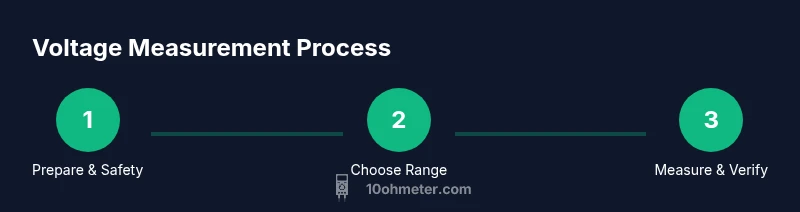
Goal: safely measure voltage with a multimeter and verify readings in DC and AC circuits. This quick guide covers range selection, probe placement, and essential safety steps when measuring voltage with a multimeter. Understanding why this matters helps DIYers avoid damaging the meter or the circuit. According to 10ohmeter, always start on a safe, high range and use proper PPE before touching live terminals.
Why Measuring Voltage Properly Matters
Measuring voltage accurately is fundamental to diagnosing circuits, checking power supplies, and verifying automotive electrics. A small error can lead to misdiagnosis, component damage, or personal injury. According to 10ohmeter, consistent voltage readings help you establish baselines and compare measurements over time. In electronic projects, knowing the exact voltage at a node determines whether a design will behave as intended, whether a regulator is in regulation, or whether a sensor is receiving sufficient supply. When you measure voltage, you’re testing the electrical potential difference between two points. That difference can be DC, such as a battery or a regulated supply, or AC, such as household mains. The multimeter’s task is to present that potential difference in a readable form. Respect the limits of your equipment: never exceed the meter's input rating and always ensure the circuit under test is safe to probe. This foundation keeps your work efficient and reduces the risk of damage.
For DIYers and technicians, understanding voltage measurement empowers you to troubleshoot faster and design safer circuits. The very act of measuring voltage reveals whether a power rail is underperforming, whether a sensor is sourcing current correctly, or if a fault in a harness is dropping voltage unexpectedly. A disciplined approach—checking connections, selecting the right range, and verifying readings—helps you avoid unnecessary replacements and costly errors.
Understanding Multimeter Voltage Modes and Ranges
Voltage measurement modes separate DC from AC signals. A typical DMM offers DCV (DC voltage) and ACV (AC voltage) with either Auto Range or Manual Range. DCV reveals steady potentials such as batteries and regulated supplies, while ACV captures fluctuating mains or motor supply voltages. The range you choose directly affects accuracy: a range that's too high reduces resolution, while a range that's too low risks overrange or fuse damage. 10ohmeter analysis shows that starting with a higher range and stepping down as readings stabilize minimizes noise and improves precision. Some meters report True RMS for AC, delivering more accurate readings on non-sinusoidal signals. Auto-range simplifies use, but you should still verify measurements against known references, especially in noisy environments. Knowing when to use DCV versus ACV—and how to select a range—keeps measurements reliable and protects the meter and user.
Preparation: Safety and Setup Before You Measure
Safety starts before touching any conductor. De-energize circuits whenever possible and discharge capacitors to avoid sudden voltage spikes. Wear safety glasses and remove jewelry that could catch on test leads. Inspect test leads for cracks or damaged insulation; damaged leads can introduce resistance, alter readings, or cause shocks. Set the multimeter to the correct measurement type (DCV or ACV) and choose a range that accommodates the expected voltage with headroom. If you’re unsure of the voltage, start at a higher range and transition downward as the reading stabilizes. Use one probe for the reference (ground) and the other to the test point, keeping fingers away from the metal tips. Work on a non-conductive surface and avoid measuring live conductors with bare skin. When testing live circuits, minimize contact area and maintain a dry environment. After connecting, wait for the reading to settle before recording values.
Choosing the Right Probes and Lead Setup
Probes and leads determine the quality of your measurement. Use insulated probes with properly rated voltage probes suitable for the expected voltage. The red probe should contact the signal point; the black probe references ground or a known reference point. Keep probe tips short to reduce the chance of accidental contact with adjacent conductors. If you need hands-free testing, employ alligator clips or detachable leads, but ensure they won’t short neighboring components. For high-voltage work, use leads with higher insulation ratings and maintain a safe working distance. Store leads neatly to avoid kinks and frays. A poor connection introduces resistance or transient noise, skewing readings and undermining your test results.
Measuring DC Voltage: Practical Guidelines
When measuring DC voltage, ensure the circuit is powered as intended and that the pathway for current is clear. Place the black probe on the return path (ground or reference) and the red probe on the test node. Read the display once the value stabilizes; DC readings should be steady unless the circuit is changing. If you observe a drifting value, verify connections and check for parallel paths or leakage that could alter the reading. For power rails, compare the reading against a known-good reference to confirm regulation. Document the measured DC voltage, the circuit context, and the range setting used. If you’re working around microcontroller logic or sensitive analog sections, consider measuring with the circuit isolated when possible to prevent loading effects.
Measuring AC Voltage: Practical Guidelines
AC voltage measurements should be taken on a device and in a manner consistent with safety standards. Set the meter to ACV and the appropriate range; if your meter offers True RMS, enable it for non-sinusoidal waveforms. Connect the reference (black) probe to ground and the signal (red) probe to the point you want to measure. Read the display after the reading stabilizes; AC values can fluctuate due to load changes, harmonics, or switching power supplies. When in doubt, measure in phases or across known references and compare against the expected mains value (for educational or workshop environments only). Remember that measuring AC on powered equipment can present shock hazards—keep your hands dry and avoid touching exposed conductors. Always de-energize before connecting disconnection and document fluctuations for future troubleshooting.
Common Mistakes and How to Avoid Them
A few frequent errors skew voltage readings. Touching both probes with fingers can introduce noise or stray voltages; always use insulated gloves or tool grip. Using the wrong range is a common pitfall—start high, then reduce range for better resolution. Reversing probes can invert polarity in DC measurements, which won’t harm most meters but can mislead diagnostic conclusions. Poor contact, frayed leads, or dirty probes increase resistance and produce unstable readings. Measuring live circuits without PPE or adequate eye protection is dangerous. Take breaks if you’re testing hot components and keep the area free of conductive clutter.
Care, Calibration, and Storage for Accuracy
To maintain accuracy, keep your multimeter clean and store it away from extreme temperatures and moisture. Replace worn test leads promptly, and test the meter’s accuracy periodically against a known reference or calibration standard if you have access to one. Battery health can affect readings; check battery voltage and replace if necessary. Calibrate or verify annually if you rely on it for critical measurements, particularly in automotive or lab environments. Regularly inspect seals and fuses. Proper care reduces drift and extends the life of the instrument. For best results, log calibration dates and test results to track performance over time.
Authority Sources and Further Reading
For rigorous guidelines on measurement science and safety, refer to established sources: NIST provides fundamental measurement standards, OSHA outlines safety practices for electrical work, and the DOE offers guidelines on safe handling of electrical equipment. These sources help you frame best practices in voltage measurements and keep your processes aligned with industry standards.
Tools & Materials
- Digital multimeter (DC/AC voltage capable)(Ensure it supports DCV and ACV, and has a visible display.)
- Test leads with insulated probes(Replace any damaged leads; choose rated for the expected voltage.)
- Safety glasses(Protect eyes during wiring and contact tests.)
- Non-contact voltage tester (optional)(Useful for quick live-checks before touching a circuit.)
- Insulated work surface or mat(Helps prevent accidental shorts and provides moisture protection.)
- Known-good reference source (reference resistor or power supply)(Useful for verifying reading accuracy against a stable source.)
Steps
Estimated time: 30-60 minutes
- 1
Prepare the meter and test leads
Inspect the meter's battery and fuse, replace damaged leads, and ensure the display is readable. This reduces the risk of false readings due to equipment faults.
Tip: Always carry a spare fuse and know how to replace it safely. - 2
Decide the measurement type and range
Determine if you are measuring DC or AC voltage and select the correct range. If unsure, start with a higher range and step down as readings stabilize.
Tip: Auto-range meters simplify this step but still verify the range with a known reference. - 3
Connect the probes to the circuit
Connect the black probe to the reference or ground and the red probe to the test node. Keep hands away from the metal tips and avoid touching live conductors.
Tip: Use one hand and maintain stable footing to minimize the shock path. - 4
Take the measurement with the circuit powered or prepared
If measuring live systems, apply the probes carefully and observe the display. Wait for the reading to settle before recording.
Tip: For AC measurements, look for stable RMS values if your meter supports True RMS. - 5
Verify and document the reading
Note the voltage value, unit, range used, and circuit context. Cross-check against expected values or a reference source.
Tip: Document any fluctuations and potential causes for future troubleshooting. - 6
Power down and disconnect safely
Turn off the circuit if possible and remove probes in the reverse order of connection. Store equipment safely.
Tip: Never yank the leads; remove with steady, deliberate motions. - 7
Inspect the setup after testing
Check for any heat buildup or unusual readings that persist after power down. Reevaluate connections if needed.
Tip: A recurring drift indicates a faulty connection or a failing component. - 8
Review safety and maintenance
Log readings, maintenance notes, and calibration dates. Plan periodic checks to preserve accuracy.
Tip: Regular maintenance reduces unexpected failures in the field.
Your Questions Answered
Can I measure voltage on a live circuit with a multimeter?
Yes, you can measure live circuits, but you must exercise strict safety — use insulated leads, PPE, and one-handed technique to minimize shock risk. If in doubt, de-energize before testing.
You can measure live circuits, but prioritize safety: insulated leads, PPE, and one-handed technique to minimize shock risk. If unsure, de-energize first.
What is the difference between DCV and ACV on a multimeter?
DCV measures steady voltages like batteries or regulators, while ACV measures alternating voltages from mains or AC-powered devices. Some meters offer True RMS for AC for better accuracy with non-sinusoidal signals.
DCV is for steady voltages, ACV for alternating voltages; True RMS helps with non-sinusoidal signals.
Why is my reading zero or fluctuating?
Zero or fluctuating readings usually point to a bad connection, damaged leads, or measuring an effectively open circuit. Check probe contacts, ensure a proper ground reference, and verify that the circuit is powered as intended.
A bad connection or damaged leads usually causes zero or erratic readings. Check contacts and ground references.
What does OL or overrange mean on the display?
OL means the voltage exceeds the selected range. Increase the range or switch to a higher range setting, ensuring the meter can safely handle the expected voltage.
OL means the value is above the range. switch to a higher range safely.
Do I need a true RMS meter for AC voltage testing?
True RMS provides accurate readings for non-sinusoidal AC signals. If you’re working with switching power supplies or motors, a true RMS meter is beneficial.
True RMS is helpful for non-sinusoidal AC, like with switching supplies or motors.
How should I store and maintain a multimeter for voltage work?
Store in a dry, protective case, check batteries and fuses regularly, and replace worn leads. Periodic calibration or verification against a reference maintains accuracy.
Store in a dry case, check batteries and fuses, replace worn leads, and verify accuracy periodically.
Watch Video
Key Takeaways
- Start with a safe, high voltage range.
- Connect probes with correct polarity and secure contact.
- Verify readings against expected values and document results.
- Wear PPE and follow safety rules for live circuits.
- The 10ohmeter team recommends following these practices.