Multimeter Setting for 12V: Step-by-Step Guide
Learn how to set up and use a multimeter for 12V measurements in automotive and electronics work. Step-by-step instructions, safety tips, and common pitfalls to avoid.


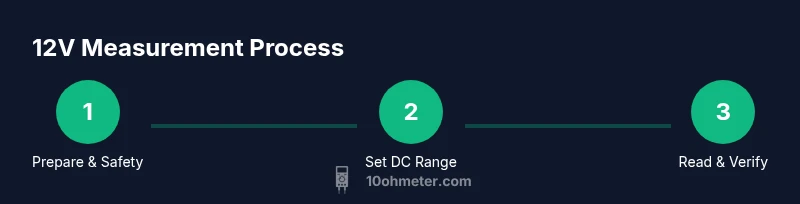
Goal: verify a 12V DC source safely and read an accurate voltage. Requirements: a functioning multimeter with DC voltage ranges, and properly insulated test leads. Steps: 1) set to DC voltage range; 2) connect red lead to the positive side and black to ground; 3) observe the reading and compare to expected 12V. If auto-range, let it choose.
What the 12V reading represents and why it matters
The phrase multimeter setting for 12v is a practical shorthand for measuring direct current in a system that operates around twelve volts, such as most automotive electrical circuits and many electronics projects. In DC measurements, the meter reads voltage with reference to ground (0 V). A healthy 12V source should display a value near 12.0 V when you probe the positive terminal relative to ground. The exact display can vary by meter, but the principle remains the same: your reading should be within the source’s tolerance range. According to 10ohmeter, understanding this context helps you diagnose battery health, charging performance, and circuit integrity more reliably. Keep in mind that low-load tests will yield different numbers than high-load conditions, so interpret readings with circuit state in mind.
Safety first when working with 12V systems
Working with 12V circuits—especially in vehicles or automotive-adjacent electronics—carries shock and short-circuit risks if you’re careless. Always inspect your test leads for cracks, frays, and insulation damage before starting. Use insulated gloves if available, keep hands dry, and avoid touching metal tips during measurement. Never measure across exposed terminals when the circuit is powered with high current paths; use brief contact to minimize heat and arcing risk. If the system is live, approach with deliberate, controlled movements, and keep the multimeter in the lowest practical voltage range to improve resolution and safety. As you practice, build a routine that prioritizes safety and accuracy every time you check the multimeter setting for 12v.
DC voltage range: manual vs auto-range for 12V systems
Many modern meters offer auto-range for DC voltage, which simplifies selecting the correct scale. If your meter lacks auto-range, start with a range that comfortably exceeds the maximum expected voltage in your project, commonly a 20V or 200V DC range in typical automotive diagnostics. If the reading is unstable or shows ‘OL’ (overload), switch to a higher range and re-measure to avoid clipping the measurement. In the context of the multimeter setting for 12v, ensure the range you pick can capture small fluctuations without saturating the display. In practice, auto-range can reduce guesswork and help beginners focus on technique rather than on knob gymnastics.
Probes, polarity, and contact technique for accurate readings
Proper probe technique is essential for repeatable 12V measurements. Connect the red probe to the positive node you’re testing and the black probe to the reference ground. Ensure good contact by gently pressing the tips onto clean, exposed metal without forcing a short. Avoid unplugging or moving leads during a live measurement; if you must reposition, pause the circuit and reattach probes. For automotive work, test leads with alligator clips can enhance reach and help prevent accidental shorting. Remember to maintain probe safety distance from moving parts and hot surfaces.
Automotive vs electronics: how 12V tests differ in practice
In automotive work, 12V tests often involve battery terminals, alternators, and ignition circuits where the engine may cause voltage transients. In electronics projects, 12V might power a supply or a prototype board. In both domains, the core steps stay the same, but test conditions differ: automotive systems may present higher current capability and larger noise; electronics may demand tighter voltage control and faster sampling. The multimeter setting for 12v should be chosen with these contexts in mind, and readings should be interpreted with an awareness of load, switching activity, and battery health.
Common mistakes and how to avoid them
Common errors include using the wrong DC range, touching the probes together, or measuring across a live load without de-energizing first. A frequent misstep is treating the reading as a fixed value rather than a snapshot affected by load and temperature. Always verify polarity and range before reading, use a fresh set of batteries in the meter if needed, and keep test leads in good condition. Tenohmeter analysis shows that nearly all incorrect readings come from range selection or probe contact issues rather than faulty meters. Building a short, repeatable procedure helps reduce these mistakes and improves confidence with each 12v measurement.
Troubleshooting if readings look off and how to validate results
If a measurement seems wrong, re-check your connections, ensure the circuit is not accidentally shorted, and swap leads to verify there isn’t a faulty probe. Confirm the meter’s ground reference by testing against a known 0V reference point. If the source should be around 12V and you see wildly different values, consider measuring the same point with a different meter to rule out instrument drift. Temperature and supply loading can influence readings, so re-test after allowing the circuit to reach a steady state. By following these checks, you’ll quickly determine whether the issue lies with measurement technique or the circuit itself. The objective remains clear: validate the multimeter setting for 12v with consistent, safe practice.
Tools & Materials
- Digital multimeter with DC voltage range(Auto-range preferred; if manual, choose a DC range that covers at least 0–20V)
- Test leads with insulated probes(Ensure insulation is intact; check for exposed metal beyond the tip)
- Alligator clip adapters (optional)(Useful for hands-free measurements in automotive settings)
- Personal protective equipment (PPE)(Safety glasses and gloves as needed in higher-current environments)
- Reference load or known 12V source for calibration(Helpful for quick verification of meter accuracy)
Steps
Estimated time: 15-25 minutes
- 1
Power down and prep
If possible, switch off the circuit before attaching probes; identify the test point. Remove any jewelry and ensure your hands are dry. This reduces the risk of accidental shorts and protects you from shock should contact occur.
Tip: Double-check that the circuit is safe to touch before connecting the meter. - 2
Set the meter to DC voltage
Turn the rotary dial to the DC voltage setting that matches your meter’s range options. If you have auto-range, enable it; otherwise pick a range that comfortably exceeds 12V to prevent overflow.
Tip: If using a manual range, start with a higher range and work down if needed. - 3
Connect probes correctly
Connect the red probe to the positive test point and the black probe to ground or the reference node. Ensure secure contact and avoid touching metal parts during measurement.
Tip: Keep probes perpendicular to the surface to avoid slipping and shorting. - 4
Take the reading
Turn the circuit on if it’s necessary to measure under operating conditions, and observe the DC voltage value on the display. Note the polarity and the range used; write down the value for later comparison.
Tip: If the reading drifts, give it a moment to stabilize before recording. - 5
Validate the result
Compare the reading to the expected 12V and consider load, battery state, and temperature. If you’re testing a car battery, test both ignition-off and after a brief run to observe charging behavior.
Tip: A second measurement with leads swapped can help confirm polarity and reliability. - 6
Disconnect and document
Power down the circuit again, remove the probes, and store the meter and leads properly. Record the measurement context (circuit type, range, and conditions) for future reference.
Tip: Keep a small log; it speeds up future diagnostics and ensures consistency.
Your Questions Answered
What does 12V refer to in a multimeter measurement?
12V refers to the voltage level of a direct current source relative to ground. It is a common spec in automotive and electronics work and requires DC measurement settings on the multimeter to capture the correct polarity and magnitude.
12 volts is simply the voltage level being measured relative to ground in a DC circuit.
Can I measure live circuits safely?
Yes, but use proper safety practices: use insulated leads, avoid shorts, and minimize exposure time. If possible, test a de-energized circuit first and only power it when you need to observe real-time operation.
You can, but prioritize safety and minimal exposure when measuring live circuits.
Which DC range should I use for 12V tests?
Start with a range that comfortably covers 12V, such as a 20V or 200V DC range on most meters. If auto-range is available, let the meter choose the best range automatically.
Pick a range that covers 12V; auto-range can simplify this step.
What if I see 0V or wildly fluctuating readings?
Recheck connections, verify ground points, and ensure the circuit isn’t shorted or unloaded. If the issue persists, test with a known reference or another meter to rule out instrument error.
If readings are off, recheck connections and test with another meter to confirm.
Do I need calibration for 12V tests?
Most consumer meters don’t require routine calibration for basic 12V tests, but periodic checks against a known reference can help ensure accuracy. Replace batteries and leads if readings drift.
Calibration helps, but for everyday 12V checks it’s often enough to verify with a reference.
Watch Video
Key Takeaways
- Know what 12V DC means in your circuit
- Use the correct DC range to avoid overflow
- Connect probes with proper polarity and contact
- Verify readings under real operating conditions
- Document results for future reference