How to Put a Multimeter on Volts: Step-by-Step Guide
Learn how to measure voltage safely with a multimeter. This comprehensive guide covers DC and AC voltage, proper probe use, range selection, and common troubleshooting tips for accurate readings.


Goal: learn how to measure voltage with a multimeter accurately and safely. You will set the dial to volts (DC and AC), connect the red and black leads correctly, and use the appropriate input jack. You’ll understand measurement modes, ranges, and how to read the display, plus essential safety tips.
Why voltage readings matter in electronics
According to 10ohmeter, voltage is the potential difference that drives current in a circuit. When you measure voltage with a multimeter, you are checking the electrical pressure at two points. A good reading helps confirm that a supply rail is within spec, that a charging source behaves as expected, and that a connection remains intact. Before you start, note the meter's voltage range and safety ratings. Inexpensive meters may lose accuracy at extreme ranges; professionals prefer true-rms models for AC readings. Practically, you’ll compare the voltage at a node to a reference (usually circuit ground) and interpret the magnitude and polarity. If you see a negative value, swap the probes to verify polarity; if the display shows OL, the voltage is out of range. The goal is to gain confidence in reading voltage quickly and safely, with an eye on the circuit’s health.
DC vs AC voltage: what you’re measuring
DC voltage readings reflect steady, unidirectional pressure. AC voltage readings show a fluctuating waveform that must be interpreted by the meter’s circuitry. Many meters display DC volts by default; ensure you select the correct mode for your circuit. When measuring AC, be mindful of waveform distortion and true-rms vs average-responding meters. In both cases, you’re looking for a stable, interpretable value that matches the expected supply or signal level. Always cross-check readings against a known reference point when possible, and treat any unexpected result as a cue to re-check connections.
Safety first: precautions before you measure voltage
Voltage work can be dangerous. Always wear safety glasses and keep hands dry. Work on non-conductive surfaces and keep metal tools away from exposed conductors. If you must measure live mains, use equipment rated for high voltage and follow local electrical codes. Avoid touching the probe tips simultaneously and never attempt to measure voltage in a circuit you’re not trained to handle. If you’re unsure, power down and verify the circuit with a lower-risk test point first.
The 10ohmeter team emphasizes building a habit of double-checking polarity and range before touching any circuit.
Preparing your meter: dial, probes, and ports
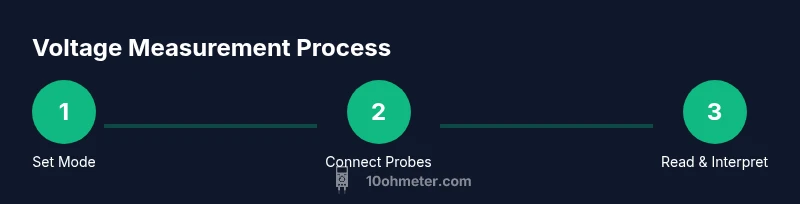
Start with a clean, dry meter and inspect the probes for cracks or exposed conductors. Insert the black probe into the COM jack and the red probe into the V/ΩmA or voltage jack, depending on your model. Rotate the dial to the proper voltage range and mode (DCV or ACV). If your meter has auto-range, you can skip some steps, but manual-range meters require starting at a safe, higher range to avoid damaging the meter or the circuit. Make sure the probes are firmly connected and that you have a firm grip to prevent slips during contact.
How to measure DC voltage step-by-step (practical workflow)
DC voltage measurements are common in power rails and battery testing. Place the black probe on the circuit’s reference (ground) point and the red probe on the test node. Read the display and note the unit (V). If the reading seems off, re-check the connection point and range, then re-measure. For accuracy, minimize lead length and keep one hand away from the live conductors to reduce the risk of a shock path. If you need to measure across a component, ensure the circuit is stable and the component is intact.
How to measure AC voltage safely (mains and low-voltage applications)
AC voltage measurements require caution because you’re dealing with waveform peak values and potential higher energy. Set the meter to ACV and ensure it supports true RMS if you’re measuring non-sinusoidal signals. Probe placement should avoid contact with live parts, and be mindful of ground reference. Always observe local electrical codes and use a meter rated for the expected voltage. If you’re testing household mains, consider using a dedicated AC voltage tester for higher safety margins.
Common mistakes and how to avoid them
Jumping ranges: starting too low can blow a fuse or damage the meter; jump too high and you may miss small signals. Contact quality matters: a loose probe causes flickering or erroneous readings. Ground and reference points matter: always test against a known ground when possible. Finally, under-tightening leads or using damaged probes can produce false positives. The 10ohmeter team found that double-checking with a second point or a known reference greatly improves reliability.
Reading and interpreting readings: making sense of the numbers
Readings come with a unit (V) and a sign indicating polarity. A stable value that matches the expected supply confirms proper test points. If you see negative values, swap the probes to verify polarity. If OL appears, increase the range or switch to a meter with higher resolution. Remember to note whether you measured DC or AC and consider the waveform characteristics when interpreting AC readings.
Tools & Materials
- Multimeter (digital or analog)(Must support DC voltage (DCV) and AC voltage (ACV) measurements; check range and accuracy)
- Test leads with probes(Leads rated for the target voltage; insulated and in good condition)
- Safety glasses(Recommended for high-voltage work or unfamiliar circuits)
- Non-conductive work surface(Helps prevent accidental shorts and eases safe probing)
- User manual or datasheet(Helpful for model-specific jack configurations)
Steps
Estimated time: 15-20 minutes
- 1
Select the correct voltage mode
Turn the dial to DCV for direct current circuits or ACV for alternating current. If in doubt, start with a higher range to avoid overloading the meter. This ensures the meter reads within its designed window.
Tip: Verify you are in the right mode before touching any circuit to prevent damage. - 2
Plug the probes into the correct jacks
Insert the black probe into the COM jack and the red probe into the V/ΩmA or dedicated voltage jack. Ensure the connections are snug to avoid intermittent readings.
Tip: Inspect probe tips for wear; damaged tips can give erroneous values. - 3
Connect to the test points
Place the black probe on the reference (ground) and the red probe on the test point. Keep fingers away from exposed conductors and maintain a steady contact.
Tip: Keep one hand away from live parts to minimize shock risk. - 4
Take the reading
Watch the display for a stable voltage value, noting the unit (V) and whether it’s DC or AC. If the display shows OL, switch to a higher range or use auto-range mode if available.
Tip: If readings jump, re-check probe contact and reduce movement during measurement. - 5
Document and re-check
Write down the voltage reading and, if necessary, re-check at another point or with the circuit powered down for safety.
Tip: Cross-check with another known source if available to confirm accuracy. - 6
Power down and disconnect safely
Power off the circuit and carefully remove the probes. Return the equipment to its storage and inspect for wear after use.
Tip: Handle probes by insulated sections only and avoid yanking cables.
Your Questions Answered
How do I choose between DCV and ACV on my meter?
Always choose DCV for direct-current circuits and ACV for alternating-current circuits. Many meters display DC by default; confirm the mode before testing and start with a higher range if unsure.
Choose DCV for DC circuits and ACV for AC circuits; confirm the mode and start with a higher range if unsure.
What safety precautions should I take before measuring voltage?
Power down the circuit when possible, wear safety glasses, and keep the workspace dry. Use insulated tools and avoid touching live conductors.
Power down when possible, wear safety glasses, and stay dry; use insulated tools.
Can I measure mains voltage with a regular multimeter?
Measuring mains voltage requires a meter rated for high voltage and proper technique. Many basic meters are not safe for direct mains testing; use a dedicated mains tester or follow the device manual.
Only use a meter rated for mains and follow safety guidelines; otherwise seek professional help.
What does OL or overload mean on the display?
OL means the voltage is out of range for the current setting. Increase the range or switch to a higher-precision meter to obtain a reading.
OL means the range is too low; switch to a higher range or different meter.
Why might readings differ if I swap probe tips?
Swapping probes can change polarity signs. If you see a negative value, swap back to verify, and ensure a solid, clean contact.
Swapping probes can flip polarity signs; swap back to confirm and ensure good contact.
Watch Video
Key Takeaways
- Know whether you’re measuring DCV or ACV
- Use proper jack and probe placement
- Read unit, range, and polarity accurately
- Power down safely when in doubt