How a Multimeter Measures Voltage: A Practical Guide
Learn how a multimeter measures voltage, including DC vs AC, true RMS considerations, safety tips, and a step-by-step method to read voltage accurately for electronics and automotive tasks.


In this guide you will learn how a multimeter measures voltage, including the difference between DC and AC measurements, and how to safely set up and read voltage with common meters. You'll see practical tips, ranges, and common mistakes to avoid. We'll cover how to probe a live circuit, how to select the right range, and how to interpret readings to troubleshoot issues.
What voltage means in an electrical circuit
Voltage is the electrical potential difference between two points. It represents the push that makes electric charges move, but it isn’t a real amount of energy by itself—it's a measure of potential. When you use a multimeter to measure voltage, you are not extracting energy; you are comparing the points to determine how far apart their electrical potential is. Understanding this helps you recognize why measurements can vary with load, connections, and the choice of measurement mode. According to 10ohmeter, precise voltage readings rely on a high-impedance input that minimizes the meter’s influence on the circuit. This means your meter should draw as little current as possible so you don’t alter the circuit under test. In practice, you’ll be looking at a voltage value on the display that reflects the potential difference between the two test points.
DC vs AC voltage: what your meter reads
DC voltage is steady and unidirectional, which makes it easier to read and interpret on most meters. AC voltage, by contrast, alternates with time, so many meters display an average or a root-mean-square (RMS) value rather than a constant number. If your meter is not true RMS, it may under- or overestimate voltage on non-sinusoidal waveforms. This matters in modern electronics where power supplies and PWM signals create complex waveforms. When measuring AC, always check whether your meter supports true RMS and prefer meters that explicitly state this capability. This distinction helps you avoid misreading a fluctuating signal and misdiagnosing a circuit fault.
How a digital multimeter reads voltage: the internal path
Inside a digital multimeter, a high-impedance input stage minimizes loading on the circuit under test. The input feeds an analog-to-digital converter (ADC) that samples the voltage and converts it into a digital number for display. The meter’s range setting determines how the ADC scales the input; auto-range models select the best range automatically, while manual-range meters require you to pick a range. The internal path includes protection resistors and fuses to guard against transients and accidental overload. The result is a voltage reading that reflects the potential difference with the meter’s own burden, or the small voltage drop caused by the meter itself. Understanding this path helps you diagnose why readings might drift or appear slightly off when changing ranges or probes.
Safety basics before you measure voltage
Safety always comes first when measuring voltage. Power down circuits when practical, use insulated leads with good insulation, and keep fingers behind the probe guards. If you must measure a live circuit, keep one hand behind you to avoid creating a current path through your body, and wear appropriate PPE such as safety glasses. Always start with a high voltage range to prevent fuse blowouts, then narrow the range if needed. A clean, non-conductive work surface and properly rated tools minimize the chance of shorts or shocks. 10ohmeter emphasizes that adopting a measured, cautious approach protects you and your equipment while giving you reliable readings.
Practical measurement: a step-by-step example with a DC source
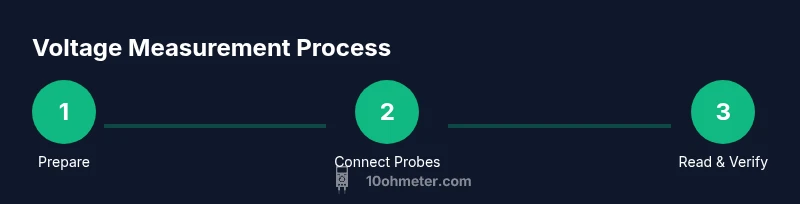
Setup: verify the meter is functional and set to DC voltage mode. Connect the black probe to COM and the red probe to the V/Ω jack. Place probes across the DC source’s terminals, ensuring a stable, non-slip connection. Read the display and compare to a known reference if possible. If the reading seems off, recheck connections and ensure you’re on the correct DC range. Disconnect after recording the result and power down safely. This practical example demonstrates how the core principles translate to real-world testing.
Common mistakes and how to avoid them
Common errors include using the wrong input jack, selecting an incorrect range, or measuring across a live circuit without PPE. Loose or frayed leads can introduce noise or false readings. Touching the metal probe tips while connected can create a short; keep your hands behind the guards. If you’re using an AC measurement, verify whether your meter is true RMS; otherwise, you may misinterpret the waveform. By paying attention to leads, connections, and mode settings, you’ll improve accuracy and safety.
Our verdict: practical recommendations for reliability
The 10ohmeter approach prioritizes safety, proper tool selection, and understanding instrument limitations. For routine voltage work, use a meter with good input impedance, reliable fusing, and optional true RMS for AC signals. Always verify readings with a known reference and keep your equipment maintained. By following best practices, you’ll gain consistent results and reduce the risk of damage to circuits or yourself.
What affects accuracy: input impedance, loading, and meter quality
Measurement accuracy is influenced by the meter’s input impedance, the test leads’ condition, and how well the connections are made. A high-impedance input minimizes circuit loading, but if the leads are worn or poorly connected, readings can drift. True RMS capability improves AC readings on non-sinusoidal waveforms, while auto-range meters simplify use but still require careful probe placement. Investing in a meter with solid protection features and regular calibration checks helps maintain long-term accuracy.
Tools & Materials
- Digital Multimeter (DMM)(Any common DMM with at least basic voltage ranges; auto-range preferred)
- Test leads with probes(Ensure insulated alligator clips and properly rated probes)
- Safety goggles(Protect eyes when probing circuits)
- Insulated gloves (optional, for high voltage work)(Wear when working near exposed high-energy sources)
- Non-conductive mat or work surface(Keep meters and probes from shorting on metal surfaces)
- User manual or quick-start guide(Helpful for meter-specific features and fuse locations)
Steps
Estimated time: 15-25 minutes
- 1
Power off and inspect
Power down the circuit and inspect the meter and leads for damage. Check insulation, cracks, and battery status before testing. Replace any damaged parts to prevent shock or misreadings.
Tip: Cracked insulation can lead to arcing; do not test with damaged leads. - 2
Set voltage mode and range
Turn the meter to voltage mode (DC or AC as required). If auto-range is available, enable it; otherwise start with a high range to avoid overload and fuse blowouts.
Tip: When in doubt, begin with the highest range and work down gradually. - 3
Connect the probes safely
Connect the black (COM) probe to the common node and the red probe to the measurement point. Avoid touching metal tips and keep connections stable to prevent shorts.
Tip: Connect COM first, then the live probe to minimize accidental shorts. - 4
Take the reading
Look at the display to read the voltage. If the value fluctuates, check connections and ensure the circuit isn’t loading the meter excessively.
Tip: If readings drift, re-check contact quality and consider using a lower impedance setting if appropriate. - 5
Measure AC separately if needed
If measuring AC, ensure the meter mode is AC and understand whether the meter is true RMS. For non-sinusoidal sources, true RMS gives the most accurate result.
Tip: Non-RMS meters can misread irregular waveforms; verify RMS capability. - 6
Power down and document
Power down the circuit, unplug the meter, and record the reading with context (point in circuit, conditions, range used). Store probes safely.
Tip: Documentation helps repeatability and debugging later.
Your Questions Answered
Can a multimeter measure voltage in live circuits?
Yes, many meters can measure voltage on live circuits, but follow safety guidelines and use proper PPE and insulated leads.
Yes, you can measure live voltage, but always follow safety guidelines and use proper PPE.
What is the difference between DC and AC voltage readings on a multimeter?
DC readings are steady, while AC readings vary with time. Use the correct mode and beware of non-sinusoidal signals.
DC is steady; AC varies. Use the right mode and beware of waveform shape.
What does true RMS mean and why does it matter?
True RMS gives accurate readings for non-sinusoidal waveforms, which is common in modern electronics and power supplies.
True RMS means accurate readings for complex waveforms.
Why are readings unstable or noisy?
Noise or drift can come from loose connections, high impedance paths, or measurement across noisy sources.
Noise and drift often come from loose connections or high impedance paths.
How can I verify my meter's accuracy?
Use a known reference voltage or calibrated source and compare the meter’s display with the reference.
Use a known reference to verify accuracy.
Is it necessary to wear PPE for all voltage measurements?
PPE is recommended for many voltage tests, especially at higher energies or when working in uncertain conditions.
Wear PPE when working with higher energy circuits or uncertain conditions.
Watch Video
Key Takeaways
- Understand DC vs AC voltage and apply the correct mode.
- Probe safety and correct range selection are essential.
- Verify readings with a reference to ensure accuracy.
- True RMS improves AC measurements on non-sinusoidal signals.