How to Check Polarity with a Multimeter: Step-by-Step
Learn how to check polarity with a multimeter, troubleshoot polarity issues, and safely verify correct orientation in circuits, LEDs, diodes, and automotive systems. This 10ohmeter guide provides practical steps, tools, and pro tips for DIY enthusiasts and technicians.


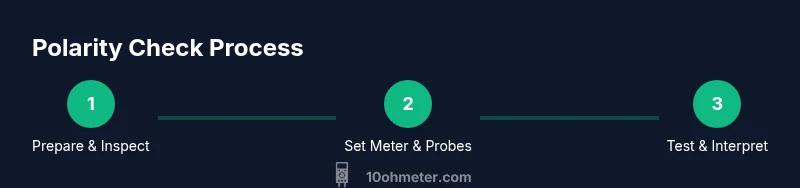
Here’s how to check polarity with a multimeter and confirm correct orientation in common circuits. You’ll perform a controlled DC voltage test, diode/LED polarity checks, and automotive polarity checks, using a digital multimeter, proper test leads, and basic safety gear. You’ll set the meter correctly, connect probes with intention, and interpret readings to identify correct vs. reversed polarity.
Why polarity matters in electronics
According to 10ohmeter, polarity is a fundamental characteristic that determines how components behave in a circuit and the safety of your work. Incorrect polarity can damage diodes, batteries, and electronics, create short circuits, or cause unexpected motor direction. In many automotive and electronics tasks, confirming polarity before power-up saves time and prevents costly failures. This section explains why polarity matters across common families of components and why a careful check is essential before continuing with any measurement. You will learn how a multimeter helps you verify polarity reliably and without destructive testing. By understanding the concept, you can design safer experiments and avoid accidental reverse connections.
Safety first: handling live circuits
When you work with live circuits, PPE and proper precautions are non-negotiable. Always de-energize a circuit before swapping probes or reconfiguring the meter. Use insulated tools, stand on an anti-static surface, and keep hands dry. If you must test while powered, set the meter to an appropriate range and avoid touching exposed conductors. In automotive contexts and high-current setups, double-check fuses, ensure the vehicle is off, and wear eye protection. The goal is to reduce the risk of shocks, arc flashes, or accidental short circuits while performing polarity checks.
Understanding multimeter polarity concepts
Polarity in the context of a multimeter test typically revolves around the red probe representing the positive node and the black probe representing the negative or reference node. Many measurements assume a single reference ground point. Key ideas include: 1) DC voltage polarity indicates which node is at higher potential, 2) diode and LED polarity define forward vs reverse orientation, 3) automotive grounding follows chassis as reference. Grasping these concepts helps you predict what readings to expect and when to question readings that seem inverted.
Choosing the right probes and setup
Quality test leads with insulated handles reduce the risk of accidental shorts. Use red and black leads with secure alligator clips when you need hands-free connections. Ensure probes are in good condition: no frayed insulation, intact probes tips, and secure banana plug compatibility. For sensitive measurements, use shorter leads to minimize inductive effects. Always keep the probe tips away from conductive surfaces until you are ready to measure. A proper setup minimizes stray resistance and measurement noise that can confuse polarity readings.
Step-by-step: DC power supply polarity test
- Power down the circuit and disconnect power sources. 2) Set the multimeter to a suitable DC voltage range (start with a range higher than the expected voltage). 3) Connect the red probe to the point you suspect is positive; connect the black probe to the reference/ground. 4) Re-energize the circuit and observe the reading. 5) If the reading is positive and matches the expected polarity, polarity is correct; if negative, polarity is reversed. 6) Repeat with the reference node confirmed to verify consistency. Tip: keep hands off the exposed conductors during the test to avoid shorts.
Step-by-step: diode and LED polarity check
- Power down and isolate the component. 2) Switch the meter to the diode test mode if available, or use a low-current DC voltage source for diode checks. 3) Place the red lead on the anode side and the black lead on the cathode side to test forward direction. 4) A forward-biased diode will show a small voltage drop (typically ~0.6–0.7V for silicon); if you see no conduction, reverse the leads to confirm reverse polarity. 5) For LEDs, apply a controlled forward current and verify illumination while noting the voltage drop. Pro tip: compare against the LED’s datasheet to confirm expected forward voltage.
Step-by-step: automotive polarity checks
- With the vehicle off, locate the battery terminals and chassis ground. 2) Use the DC volts mode to check battery voltage between the positive terminal and ground. 3) Verify that the polarity reading matches the expected battery orientation (positive to positive, negative to ground). 4) When testing circuits that run off the vehicle’s electrical system, ensure the ignition is off and the load is disconnected. 5) If a suspected reversed polarity exists, re-check ground references and confirm wiring diagrams before powering the system. Pro tip: use a second point of reference (like a known good ground) to cross-check.
Interpreting readings and avoiding false results
Interpreting polarity requires attention to reference and direction. A positive voltage reading at the expected positive node confirms correct polarity; a negative reading indicates reversed polarity or an inverted reference. When readings look odd, re-check the reference node, inspect the meter settings, and verify that you’re not measuring across a resistor or component that introduces a drop. If you are measuring near ground, ensure the circuit is isolated from noise sources and that the meter’s common ground is not accidentally connected to the wrong point.
Common mistakes and how to fix them
Common mistakes include using the wrong DC range, leaving probes touching metallic surfaces, or testing live circuits without proper PPE. Another pitfall is assuming the chassis ground is identical to the circuit ground in automotive contexts. Always double-check the reference point and confirm with a secondary method (like a known good polarity reference). Correcting these mistakes leads to safer tests and more reliable polarity determinations.
Practical reuse: documenting polarity tests and next steps
After completing polarity tests, document the exact points tested, meter settings, and observed readings. Create a polarity log that notes the environment, circuit type, and any deviations from expected behavior. Include a quick sketch or photo of wiring points to prevent future confusion. Use the results to validate schematics, update wiring diagrams, and inform future troubleshooting tasks. This habit improves repeatability and reduces rework when troubleshooting or prototyping.
Tools & Materials
- Digital multimeter (DC volts and diode test)(Prefer a meter with at least 2V to 1000V range and diode test mode)
- Red and black test leads with insulated handles(Ensure tips are sharp and undamaged)
- Alligator clip adapters (optional but helpful)(For hands-free testing)
- Safety gear (safety glasses, insulated gloves)(Protects from accidental shorts and arcs)
- Known-good reference source (e.g., ballast or test battery)(Helps validate polarity quickly)
- Component datasheets or circuit diagrams(Provides expected polarity and forward voltages)
Steps
Estimated time: 30-60 minutes
- 1
Prepare and inspect tools
Inspect the multimeter, leads, and probes for damage. Verify the probe tips are clean and free of corrosion. Ensure the device is turned off before inspection to avoid accidental shocks.
Tip: Replace damaged leads before proceeding to maintain measurement accuracy. - 2
Identify test points and ground reference
Determine where polarity should be checked. Identify the positive node, negative node, and reference ground. Mark these points if needed to avoid confusion during steps.
Tip: If you’re unsure, start with a known good reference point. - 3
Set meter to DC voltage range
Turn the dial to a DC volts range that comfortably exceeds the expected voltage. If in doubt, start with the highest available range and work downwards to avoid overloading.
Tip: Prefer auto-ranging meters if you’re new to polarity checks. - 4
Connect red probe to positive target
Attach the red probe to the point suspected to be positive. Keep the tip pointed at the conductor and avoid touching other conductors.
Tip: Stabilize the lead with the other hand or a clip to prevent accidental slips. - 5
Connect black probe to negative/reference
Place the black probe on the negative node or ground reference. Ensure a solid connection to get a stable reading.
Tip: Do not remove the red probe while reading negative values. - 6
Power the circuit and read the value
Power the circuit and observe the DC reading. A positive result in the expected direction confirms correct polarity; a negative value indicates reversed polarity or a wrong reference point.
Tip: If the meter reading is unstable, reseat the probes and recheck connections. - 7
Diode polarity check with diode test
If available, switch to diode test mode and place leads across the diode from anode to cathode. A forward drop confirms correct orientation.
Tip: If the meter does not show a drop, test the opposite direction to verify diode health. - 8
LED polarity check and forward voltage
Apply a controlled forward bias and observe illumination. Note the voltage drop; LEDs typically drop a predictable voltage when forward biased.
Tip: Avoid overcurrent to protect the LED during testing. - 9
Automotive polarity checks
With the vehicle off, verify battery polarity against chassis ground and individual circuit grounds. Use caution around high-current paths and fuses.
Tip: Always double-check ground references to prevent misreadings in automotive systems. - 10
Document results and cross-check
Record readings, test points, and meter settings. Cross-check with a second method or reference to ensure consistency.
Tip: Include a quick sketch or photo for future reference. - 11
Address discrepancies
If readings contradict expectations, re-check connections, re-verify the reference point, or try an alternative test method (e.g., measure resistance when circuit is de-energized).
Tip: Never assume polarity is correct based on one measurement. - 12
Wrap up and safety check
Power down again, disconnect test leads, and store tools properly. Confirm that all tests leave the circuit isolated and safe.
Tip: Return the meter to its proper range and power state.
Your Questions Answered
What is polarity in electronics and why should I check it with a multimeter?
Polarity indicates the direction of voltage and current flow. Checking polarity with a multimeter helps prevent component damage, incorrect operation, and safety hazards by ensuring connections are oriented correctly before powering a circuit.
Polarity tells you which way current should flow. A multimeter helps confirm this before powering a circuit, reducing the risk of damage or shock.
Can I check polarity without powering the circuit?
Yes. You can perform non-contact checks with the diode test or continuity checks when the circuit is de-energized. Always disconnect power and discharge capacitors if applicable when testing with a meter.
You can test polarity with the circuit off using diode tests or continuity checks. Always ensure the circuit is de-energized first.
Why does a negative reading indicate reversed polarity?
A negative reading means the probe connections are opposite the expected polarity or the reference node is incorrect. Re-check your ground and re-test to confirm.
A negative reading usually means the leads are swapped or you’re testing the wrong reference point.
Is polarity testing safe for automotive circuits?
Polarity testing in automotive circuits is safe when you de-energize the system, use proper PPE, and avoid high-current paths. Follow vehicle-specific diagrams to prevent shorts.
Yes, as long as you power down the car and use proper safety gear and diagrams.
What if my diode/LED test shows unexpected results?
Double-check polarity points, verify the component orientation, and compare against datasheet voltages. If readings remain odd, test another identical part to confirm if the issue is specific part or setup.
If the diode test looks off, recheck orientation and try a second part to verify.
Watch Video
Key Takeaways
- Verify polarity before powering a circuit
- Use diode/LED tests to confirm orientation
- Maintain clean, secure probe connections
- Document results for future troubleshooting
- Always follow safety best practices