How to Test a Temperature Sensor with a Multimeter
Learn to test temperature sensors with a multimeter, including thermistors, RTDs, and semiconductor sensors. Step-by-step methods, safe setup, interpretation tips, and documentation for electronics and automotive projects.


By following this guide, you will accurately test a temperature sensor with a multimeter, whether it’s a thermistor, RTD, or semiconductor sensor. You’ll verify resistance or voltage behavior across a known temperature range, learn safe probing techniques, and interpret readings to diagnose sensor health. This quick-start answer sets you up to perform precise measurements and identify faults before replacing components in electronics or automotive projects.
Why test temp sensors with a multimeter
Testing temperature sensors with a multimeter is a fundamental skill for DIY electronics and automotive diagnostics. A well-executed test confirms sensor health, avoids mystery failures, and helps you calibrate or replace components with confidence. The multimeter measures two essential properties: resistance for thermistors and RTDs, and voltage output for many semiconductor temperature sensors. The goal is to correlate the sensor’s electrical response with temperature in a controlled way. From a practical perspective, this approach reduces guesswork, enables early fault detection, and supports safer, more reliable designs. According to 10ohmeter, building a solid testing routine starts with clear setup, consistent temperature references, and careful documentation of every reading.
Sensor types and their electrical behavior
Temperature sensors come in several families, each with a characteristic electrical response. Thermistors (NTC and PTC) show resistance that changes with temperature in a nonlinear fashion; RTDs (like PT100/PT1000) exhibit a relatively linear resistance increase with temperature; semiconductor temperature sensors (LM35, LM75, TMP36, etc.) provide a voltage that scales with temperature. When testing, you’ll translate these electrical signals into a temperature estimate using simple equations, look-up curves, or manufacturer data. Knowing the family helps you decide the right test method and interpretation path. In practice, most hobbyists start with a thermistor or RTD and then validate a semiconductor sensor using its specified voltage output range.
Safety and measurement setup
Before touching any circuit, power down and discharge capacitors. Use insulated probes, keep leads short, and avoid touching exposed conductors while measuring. If you’re testing in a live device, isolate the sensor with the wiring harness and work on a non-conductive surface. Ground yourself if your setup includes sensitive components. A bench power supply with current limiting is ideal for controlled tests. Use a calibrated reference temperature source (ice bath for 0°C and a hot water bath or controlled heat source for higher temperatures) to create repeatable conditions. Document the ambient temperature and any deviations in your notebook for traceability.
Testing a thermistor in a resistance divider (typical 10 kΩ at 25°C)
A common thermistor test uses a fixed resistor in a voltage divider: Vcc -> Rfixed -> sensor -> ground. For an NTC thermistor around 10 kΩ at 25°C, you can power the divider at 5 V and measure the voltage at the sensor node. At room temperature, the node voltage should be near a predictable fraction of Vcc (depending on the ratio of Rfixed to Rthermistor). As the temperature falls, resistance rises and the node voltage shifts accordingly. Record readings at multiple known temperatures (0°C, 25°C, and 60°C are convenient). If your readings deviate from the expected curve, check for poor connections, lead resistance, or a damaged thermistor.
Testing RTD sensors (PT100/PT1000) in a simple loop
RTDs provide a linear resistance change with temperature, but lead resistance can skew results in two-wire measurements. Use a low-resistance reference path and consider three-wire measurement if possible. With a PT100 at 0°C, resistance is close to 100 Ω; at 100°C, it is higher by roughly 0.385 Ω/°C. Set up a known temperature reference and measure resistance directly with the DMM in ohms, then compare to the expected values using the standard Callendar–Van Dusen equation or manufacturer curves. Be mindful of self-heating effects caused by current through the sensor; use the smallest measurement current that still yields a stable reading.
Testing semiconductor temp sensors (LM35/LM75 family)
Semiconductor sensors output a voltage proportional to temperature, typically with a known scale factor (e.g., 10 mV/°C for some devices). Power the sensor with a stable supply (often 3.3–5 V) and measure Vout with the DMM. Convert the voltage to temperature using the device’s transfer function: Temperature ≈ Vout / scale. Verify linearity by taking readings across a modest range (e.g., 0–60°C). If you observe nonlinearity, ensure the sensor is properly mounted, the supply is clean, and the load on the output is light.
Interpreting readings and diagnosing common faults
Start by ensuring repeatability: take at least two measurements at the same temperature with different probe positions. If measurements drift, suspect loose connections, degraded cables, or faulty probes. Compare readings against a calibration curve or manufacturer data; large discrepancies usually indicate a defective sensor, poor heat transfer, or incorrect test wiring. Check ground references and ensure proper temperature stabilization time between measurements. If a sensor reads infinity or a sudden open circuit, inspect for broken traces or disconnected leads.
Practical tips for automotive and industrial contexts
In automotive or industrial environments, temperature sensors often endure vibrational stress and harsh temperatures. Secure harnesses to prevent chafing, and shield sensitive probes from EMI. Use a regulated supply and minimal bus current to avoid self-heating. Consider three-wire RTD or dedicated measurement ICs for higher accuracy in noisy environments. Document shielding, cable routing, connector types, and observed response times to inform maintenance schedules and spares planning.
Documentation and next steps
Record every reading in a structured log, including ambient temperature, sensor type, circuit configuration, measurement range, equations used, and any assumptions. If readings are inconsistent, re-test with a known-good sensor to verify the testing routine. When a sensor fails validation, decide whether to replace as a single component or to inspect surrounding circuitry for root causes. Finally, create a brief report summarizing the test conditions and results to support future diagnostics and maintenance.
Tools & Materials
- Digital multimeter (DMM) with resistance and DC voltage measurement(Must measure at least 0–200 kΩ and 0–30 V DC; include probing leads.)
- Assorted test leads with alligator clips(Short leads help minimize lead resistance; use insulated clips.)
- Known-good reference resistor (e.g., 10 kΩ, 1% tolerance)(Used for a stable voltage divider reference when testing thermistors.)
- Bench power supply or regulated DC source(Current-limited is preferable to protect components.)
- Calibrated thermometer or temperature bath (ice bath and controlled heat)(Provides repeatable temperature points for comparison.)
- Insulated probe tips and non-conductive mounting(Helpful for stable measurements and avoiding shorts.)
Steps
Estimated time: 45-60 minutes
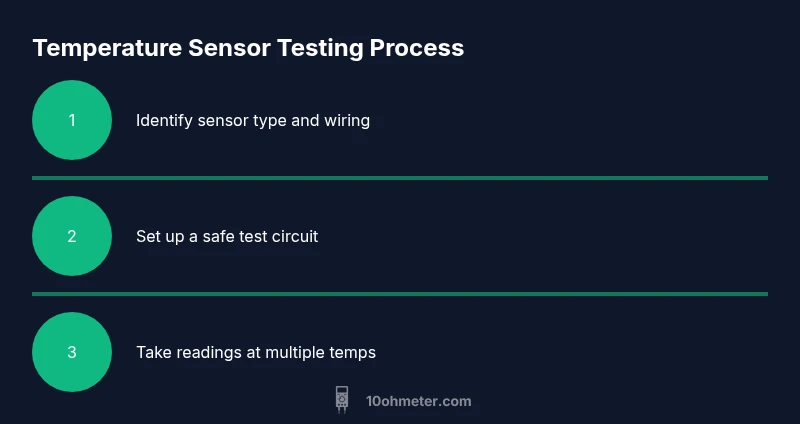
- 1
Identify sensor type and wiring
Inspect the sensor leads and any markings to determine if you’re dealing with a thermistor, RTD, or semiconductor sensor. Note the supply voltage, expected output range, and connector type. This determines which test path you follow and helps you interpret results.
Tip: If the part number is unreadable, refer to the device’s service manual or datasheet. - 2
Power down and set up a safe test circuit
Disconnect power and discharge capacitors. Connect a safe, low-noise supply and set up a simple test circuit (thermistor divider, RTD loop, or direct sensor output test). Ensure the ground reference is solid and use short, clean leads to reduce resistance errors.
Tip: Always start with the lowest practical supply voltage to avoid damaging the sensor. - 3
Measure baseline resistance at room temperature
With the sensor at ambient temperature, measure the resistance across the sensor leads using the DMM in ohms mode. Record this value and compare to expected values for the sensor family. Two-wire measurements expose lead resistance; plan for a three-wire method if accuracy demands it.
Tip: Keep the lead length short and avoid flexing the sensor during measurement. - 4
Change temperature and document readings
Stabilize the sensor at a controlled reference temperature (e.g., 0°C, 25°C, 60°C) using an ice bath and a calibrated heat source. At each point, record resistance (for thermistors/RTDs) or output voltage (for semiconductor sensors). Wait 30–60 seconds after stabilizing to ensure a steady reading.
Tip: If using a divider, ensure the other resistor remains fixed and known. - 5
Analyze thermistor behavior
For NTC thermistors, resistance should decrease as temperature increases. Use the standard beta equation or a reference curve to compare measured values. If readings deviate beyond tolerance, verify the resistor values, check the sensor mounting for thermal contact, and ensure calibration references are accurate.
Tip: Pay attention to nonlinearity near the extremes of the sensor range. - 6
Analyze RTD sensor behavior
RTDs should show a near-linear increase in resistance with temperature. Use a three-wire measurement if possible to compensate for lead resistance. Compare measured values to the known RTD curve (e.g., PT100: ~100 Ω at 0°C). If discrepancies are large, inspect connections and confirm that exposure to temperature is uniform.
Tip: Avoid self-heating by using a small measurement current. - 7
Analyze semiconductor temperature sensor output
Power the sensor with a stable supply and measure Vout. Convert the voltage to temperature using the device’s scale factor (e.g., 10 mV/°C). Verify linearity across the tested range and watch for drift if the supply is unstable.
Tip: Ensure the load on the output is light to prevent loading effects. - 8
Interpret results and decide on replacement
If readings consistently match the sensor’s curve within tolerance, the sensor is healthy. If not, consider sensor replacement or rechecking the circuit for bad solder joints, bad connectors, or damaged wiring. Document all findings for future reference.
Tip: Create a brief test report with setup, readings, and conclusions. - 9
Safety shutdown and cleanup
Turn off power, remove probes, and power down equipment. Store tools and sensors properly, and label the test results. Reassess safety procedures before the next test to prevent injuries or device damage.
Tip: Always wear eye protection when working with batteries or high-current sources.
Your Questions Answered
Can a multimeter directly measure temperature?
Most multimeters cannot read temperature directly. They measure resistance or voltage and you infer temperature from the sensor’s characteristics and a calibration curve.
No, a multimeter does not read temperature directly; you infer temperature from resistance or voltage.
What sensor types can I test with a multimeter?
Thermistors, RTDs, and many semiconductor temperature sensors can be tested with a multimeter. Each type requires a different test approach and interpretation method.
Thermistors, RTDs, and some semiconductor sensors can be tested with a multimeter; each needs a specific test method.
How do I calibrate thermistor readings?
Use known temperature references (0°C, 25°C, 60°C) and plot a resistance versus temperature curve. Compare measured values to the reference curve and adjust interpretation if needed.
You calibrate thermistors by mapping resistance to known temperatures and comparing to a reference curve.
Why might readings differ from the expected curve?
Differences can arise from lead resistance, poor connections, improper test setup, self-heating, or sensor damage. Re-test with clean connections and a stable temperature reference.
Differences can come from wiring, contact resistance, or sensor damage; re-check connections and references.
Is it safe to test sensors in automotive circuits?
Yes, but isolate circuits, use current-limited power supplies, and avoid live testing on critical car systems. Follow vehicle-safe procedures and disconnect to prevent shorts.
It’s safe if you isolate circuits and use a current-limited supply; never test live systems on critical car electronics.
What if the sensor is damaged?
If readings are consistently out of spec or open-circuit, replace the sensor and inspect surrounding wiring for damage or corrosion.
If readings are far from spec or open, replace the sensor and check wiring for damage.
Watch Video
Key Takeaways
- Identify sensor type before testing
- Use stable references for temperature points
- Measure both resistance and voltage where applicable
- Account for lead and contact resistance
- Document all readings and setup