How to Check Voltage on a Multimeter: A Practical Guide
Learn how to safely check voltage with a digital multimeter. This guide covers DC and AC voltage, range selection, probe technique, and troubleshooting to improve accuracy in electronics and automotive work.


To check voltage on a multimeter, switch the dial to the appropriate voltage setting (DC or AC), select a safe range, and place the probes across the test points. Read the display and verify the value. Always ensure safety, use proper probe technique, and confirm the meter is functioning before measurements.
Voltage measurement fundamentals
Voltage is the electric potential difference between two points. When you check voltage with a multimeter, you're testing how much potential exists across a component, wire, or supply. Accurate readings depend on using the correct function, the right range, and good probe technique. According to 10ohmeter, mastering voltage checks builds confidence for electronics diagnostics and automotive tasks. Before you begin any measurement, ensure you understand safety guidelines and have a stable work surface.
If you’re wondering how to check voltage on a multimeter, this guide will walk you through safe, repeatable steps and common pitfalls so you can diagnose circuits with confidence.
DC vs AC voltage and selecting the right range
DC voltage is a steady potential difference found in batteries, DC power supplies, and most control circuits. AC voltage is the alternating current from mains or some automotive charging systems. When selecting the meter setting, decide between DC and AC based on the source. Many modern meters offer auto-range, but if you use a manual range, start with a low scale and work upward to avoid overloading the display. Be sure the probes and leads are in good condition and rated for the voltage you expect to encounter.
Preparing the meter and leads for voltage checks
Before measuring, inspect the multimeter and probes for cracks, exposed conductors, or damaged insulation. Ensure the meter has fresh batteries and is set to volts (DC or AC). Use the red probe for the positive test point and the black probe for the reference or ground. Keep the circuit de-energized whenever possible, and wear eye protection when working with higher voltages. If you must test a live circuit, keep one hand behind your back or in your pocket to reduce the risk of a shock path.
Practical DC voltage measurement workflow
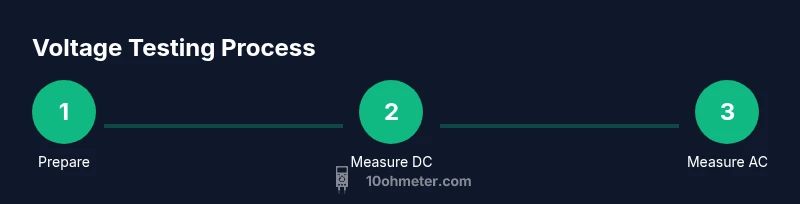
To measure DC voltage reliably, power down the circuit if safe, then connect the meter in parallel with the test point. Set the dial to DC volts, choose an appropriate range or enable auto-range, and then read the display. If you’re measuring a battery, connect directly across the terminals with the circuit off. If readings drift, check the connections, replace worn leads, and re-test with a known reference.
Measuring AC voltage safely and accurately
AC voltage measurements follow the same general steps as DC, but ensure you’re using the AC setting and the correct peak or RMS interpretation as your meter specifies. For household or automotive AC, verify that the test environment is dry and free of conductive liquids. Use insulated gloves if working around higher voltages, and avoid touching the metal tips while the circuit is powered.
Troubleshooting readings and common mistakes
If readings seem wrong, start by verifying the range and mode (DC vs AC). A loose or cracked probe can create erratic numbers, as can a dirty contact on the test point. OL (overload) means the source is outside the selected range—try a higher range or check the source. If readings drift when you move the probe, the problem is usually a poor connection or a damaged lead. Always compare a measurement against a known reference when possible.
Maintenance, calibration, and lifecycle considerations
Regular inspection of probes and leads extends meter life. Store the meter in a dry, dust-free place and periodically test it against a known reference source. Calibration intervals depend on usage and manufacturer recommendations; many professionals calibrate annually or after a repair. When a meter consistently reads wrong in several ranges, consider service or replacement.
Tools & Materials
- Digital multimeter (DCV/ACV capable)(Ensure it can measure the voltage range you expect (DC and/or AC).)
- Test leads with probe tips(Inspect for cracks; replace if insulation is damaged; consider optional alligator clips for hands-free testing.)
- Safety glasses(Eye protection is recommended when working with live circuits.)
- Insulated mat or non-conductive work surface(Helpful for higher-voltage environments to reduce shock risk.)
- Non-metallic gloves or hand protection(Optional for extra safety on exposed circuits.)
Steps
Estimated time: Total: 25-40 minutes
- 1
Power down and inspect tools
Turn off the circuit or device and unplug if safe. Inspect the multimeter and probes for damage before starting to prevent false readings or shocks.
Tip: Check leads for cracks and ensure the probe tips are clean and undamaged. - 2
Set meter to voltage measurement
Rotate the dial to the voltage function and choose DCV or ACV according to the source. If unsure, start with the auto-range option if available.
Tip: If using manual range, start at a lower voltage and move up to avoid overload. - 3
Choose the appropriate range
If your meter lacks auto-range, select a range that comfortably encompasses the expected voltage. A too-low range yields OL or an overflow reading.
Tip: When in doubt, select a higher range to protect the meter, then narrow down if needed. - 4
Connect probes to test points
Place the red probe on the positive test point and the black probe on the reference or ground. Ensure good contact without forcing a connection.
Tip: Keep hands away from the metal tips, especially on live circuits. - 5
Read and interpret the display
Look at the numeric readout and the unit indicator (DC or AC). Note if the value is within expected tolerances for the circuit.
Tip: If the display shows OL, the range is too low or the circuit is outside the measurement scope. - 6
Verify with a reference
If you’re uncertain about the result, test a known reference source (a fresh battery or calibration source) to confirm meter accuracy.
Tip: Replicate measurements to ensure consistency. - 7
Finish and store safely
Power down, remove probes, and store the meter in a dry place. Recheck leads after use and replace damaged parts as needed.
Tip: Keep the probes separated and covered when not in use.
Your Questions Answered
What is the difference between DC voltage and AC voltage on a multimeter?
DC voltage is a constant potential difference, while AC voltage varies sinusoidally. Your meter will show DC with a straight-line symbol and AC with a sine-wave symbol. Always set the correct mode before measuring to avoid damaging the meter or misreading.
DC voltage is constant; AC voltage varies with time. Use the DC or AC setting on your meter and confirm the symbol on the display to ensure accuracy.
Can I safely measure voltage on a live car battery?
Yes, but take extra precautions. Wear eye protection, use proper insulated probes, and avoid touching metal parts. Ensure the engine is off if you’re testing systems that aren’t designed to be live, and never test across moving parts.
You can test a car battery safely with proper protection and insulated probes. Make sure the engine is off and you avoid metal-to-metal contact.
What ranges should I use for typical household voltages?
For household AC in many regions, you’ll measure around 110-120 V or 220-240 V. Use the meter’s AC voltage ranges that cover those values, starting at a higher range if unsure. If readings look unusual, verify with a known reference and re-check connections.
Household voltage is usually around 120 or 230 volts depending on where you are. Use the AC ranges that include those values and re-check if readings seem off.
Why does my meter show OL or a fluctuating reading?
OL means the source is outside the selected range; switch to a higher range or verify probe contact. Fluctuating readings can stem from loose connections, damaged leads, or measuring across a noisy source. Recheck connections and shielding, and consider using a known reference.
OL indicates the range is too low. Check connections and try a higher range. Fluctuations usually come from loose leads or noise.
Is auto-range better for beginners?
Auto-range simplifies testing by automatically selecting a suitable scale, reducing guesswork. However, manual range can offer higher resolution in some cases. Start with auto-range and learn how the meter selects ranges for deeper understanding.
Auto-range is easier for beginners, but manual range can give you finer control if you need it.
How often should I calibrate a multimeter?
Follow the manufacturer’s guidelines; many professionals calibrate annually or after repairs. If your readings drift or you suspect inaccuracy, seek calibration services or compare against a reference source.
Calibrate per the manual, often annually, or whenever you suspect inaccuracies. Use a reference to verify accuracy.
Watch Video
Key Takeaways
- Know when to use DC vs AC voltage tests.
- Always inspect tools before measuring.
- Start with a safe, appropriate range to protect the meter.
- Verify readings with a reference source when possible.