How to Check a Speaker with a Multimeter: A Step-by-Step Guide
Learn how to check a speaker with a multimeter: measure DC resistance, verify continuity, and diagnose voice coil health. A practical, step-by-step guide for DIY electronics and automotive tasks.


Using a multimeter to check a speaker helps you verify the voice coil and wiring are intact before deeper testing. In 5 simple steps, you’ll measure DC resistance, test continuity, and spot common faults like open coils or shorts. This quick check is safe, non-destructive, and fits early diagnostics for DIY audio or automotive projects.
What is being tested and why it matters
When you test a speaker with a multimeter, you’re not measuring sound quality; you’re assessing the electrical health of the speaker’s voice coil, wiring, and solder joints. The voice coil is a delicate winding connected to the cone; if it’s damaged, bound to deform, or shorted to nearby metal, the speaker may produce distortion, reduced output, or no sound at all. A multimeter gives two practical clues: the DC resistance of the coil and the continuity of its wiring. According to 10ohmeter, this quick electrical health check can save you time before you pull a speaker from a system or assume it’s dead. The objective is to confirm the coil is continuous (not open) and that resistance falls within the speaker’s intended impedance range—commonly about 4 to 8 ohms for many mid‑size drivers. If readings are far outside this window or if you see an open circuit, you likely have a faulty voice coil or broken lead wires. This block sets the groundwork for safe, accurate measurements in the steps that follow.
Safety and prep: power down and handling
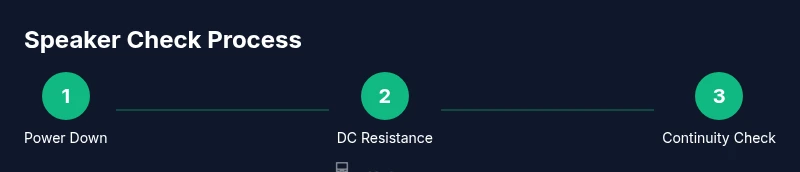
Before you touch any probes or connectors, power down the entire system and unplug any power sources. If the speaker is installed in a cabinet or car door, disconnect the battery or amplifier to prevent stray currents from affecting your measurements. Ground yourself to avoid static discharge that could damage delicate voice coils. Inspect the speaker terminals for corrosion or loose connections and clear debris from the contact surfaces. With power removed, you’re ready to establish a stable test setup using your multimeter leads and the speaker terminals. Safety comes first: never test live circuits, and confirm the device under test can be isolated from other components.
Quick DC resistance test: is the coil open or shorted?
Set your multimeter to the DC ohms (Ω) range. Place one probe on each speaker terminal and read the resistance value. In a healthy speaker, the coil should show a finite resistance that aligns with the speaker’s impedance rating (for example, within the typical 4–8 Ω range). If the meter reads infinite resistance (an open circuit), the voice coil or connections are broken. If the resistance reads very close to zero or a short value, there may be a short to the magnet assembly or a damaged coil. Record the reading and compare it to the expected impedance. If the value is substantially different from the nominal range, proceed to inspect wiring and solder joints, or consider replacement. This test is quick, non-destructive, and provides an immediate indicator of coil integrity.
Checking continuity and wiring integrity
Continuity tests confirm that wires and solder joints are intact from the driver terminals to the voice coil. With the multimeter still on the Ω range, gently probe each terminal while monitoring for a stable reading and, if available, an audible beep. A steady continuity reading indicates a continuous coil path; a fluctuating or absent beep suggests a possible break in the winding or a cold solder joint. Move the leads along the suspected sections (terminal-to-wire, wire-to-coil) to locate the fault. If you discover a broken lead or a damaged solder joint, repair or rework the connection before performing further tests. Continuity checks help distinguish between a damaged coil and loose or corroded connections that can mimic a blown speaker.
Interpreting results and next steps
Combine the DC resistance result with continuity checks to draw conclusions about health. A coil with the correct DC resistance and solid continuity is a good sign, but not definitive: a speaker can still exhibit mechanical issues that affect sound quality. If you see an open circuit or a short, the driver likely needs replacement or professional repair. If readings fall near the nominal impedance but sound anomalies persist (hiss, buzz, or clipped output), consider inspecting the surrounding circuit, crossover components, or enclosure integrity. Document readings and compare them to known-good units if available. For automotive scenarios, also check for moisture ingress and cobwebbed wiring that can masquerade as a driver fault. The combination of resistance and continuity data gives you a reliable baseline for deciding whether to repair, replace, or escalate to more advanced testing.
Practical tips for accurate measurements
- Use fresh test leads with clean, unobstructed tips to ensure solid contact.
- Hold probes with steady hands, avoiding touching metal parts with your fingers to prevent false readings.
- If readings drift, re-check contacts and reconnect the leads to rule out poor connections.
- For garden-variety drivers, keep expectations reasonable: a healthy coil should have a definable DC resistance and a stable continuity beep, not a fluctuating value.
- When possible, test multiple identical speakers to establish a baseline for expected resistance.
When to move to further diagnostics or replacement
If DC resistance and continuity tests indicate a healthy voice coil, but the speaker still performs poorly, you may need to evaluate mechanical aspects (cone adhesion, spider integrity, surround wear) or the crossover network in the system. If readings point to coil damage or severe wire breaks, replacement is often the most cost-effective solution. In professional settings, you can escalate to impedance sweep testing, coil inductance measurements, or a full impedance curve analysis, but those require specialized equipment. By following these steps, you can quickly determine whether a speaker is worth further testing or a replacement investment.
Tools & Materials
- Multimeter with DC ohm range(Prefer a digital meter with a fine-ohm range and readable display.)
- Speaker under test(Remove from circuit if possible; label for reassembly.)
- Alligator clip leads(Color-code leads for clarity (red/black).)
- Screwdriver set(For freeing terminals if needed.)
- Electrical contact cleaner(Optional; use if terminals are corroded.)
- Insulated gloves(Optional safety gear for hot environments.)
Steps
Estimated time: 20-30 minutes
- 1
Power down and disconnect
Ensure the entire test setup is unplugged and the speaker is isolated from any powered circuits. This prevents damage to the multimeter and reduces the risk of shock or short circuits.
Tip: Always verify there is no residual charge in system capacitors before touching leads. - 2
Set up the meter and test leads
Configure the multimeter to the DC ohms (Ω) range. Attach the red lead to the V/Ω jack and the black lead to the common (COM) jack. Ensure probes are clean and the tips are sharp for good contact.
Tip: Use a range that gives a readable value without forcing the meter to its maximum range. - 3
Connect probes to the speaker terminals
Place one probe on each terminal of the speaker. Press gently but firmly to ensure solid contact without bending the leads. Do not touch the metal tips with your fingers.
Tip: Avoid bridging the two terminals with a single hand; keep a stable grip to prevent accidental shorting. - 4
Read DC resistance and assess continuity
Read the displayed resistance value and verify there is continuity with a continued reading or a beep (if your meter has a continuity mode). Compare the value to the speaker’s nominal impedance (typically around 4–8 Ω for common drivers).
Tip: If the reading drifts, recheck contacts and re-measure to confirm stability. - 5
Document readings and compare
Record the resistance and continuity results. If the coil shows an open circuit or a short, plan replacement or professional repair. If readings are within spec but performance is poor, inspect mechanical components or the crossover.
Tip: Keep your notes for future reference or warranty claims. - 6
Optional follow-up tests
If you have access to a signal source, you can perform a passive check by applying a very low signal to verify that the speaker handles current without distortion, but avoid applying continuous power or loud signals that could damage the coil.
Tip: Proceed cautiously; avoid high SPL during initial checks.
Your Questions Answered
Do I need to remove the speaker from the circuit to test it with a multimeter?
Yes, remove the speaker from any circuit or isolate it to prevent other components from influencing the reading. If removal isn’t possible, carefully isolate the speaker connections to minimize interference.
Yes, remove or isolate the speaker so you test only the driver itself.
Can I test a speaker that is in a powered system?
Testing a speaker while the system is powered can damage the multimeter and the speaker. Always disconnect power and discharge capacitors before testing.
No, unplug and disconnect power before testing.
What does a reading near the impedance mean?
A reading close to the speaker’s impedance suggests the coil is intact. If it’s far outside the expected range, there may be a fault in the winding or wiring.
A reading near the impedance usually means the coil is okay, but check others.
Why would the multimeter beep during continuity testing?
A beeping continuity signal means a complete path exists from the terminal to the voice coil. No beep indicates a break somewhere in the circuit.
Beep means continuity is good; no beep means there may be a break.
Is this test sufficient to declare a speaker good or bad?
DC resistance and continuity tests confirm electrical health but not mechanical or acoustic issues. If readings are normal but sound is off, inspect the cone, surround, and crossover.
It helps, but it doesn’t cover all failure modes.
Watch Video
Key Takeaways
- Test DC resistance to confirm coil integrity.
- Continuity checks reveal broken wires.
- Interpret readings relative to the speaker's rated impedance.
- Power off before testing to avoid damage.
- Document results for future reference.