Test a Battery Charger with a Multimeter: A Practical Guide
Learn how to safely test a battery charger with a multimeter. This guide covers setup, no-load and loaded voltage checks, ripple assessment, and interpretation of readings for electronics and automotive tasks. 10ohmeter insights inform practical testing practices.


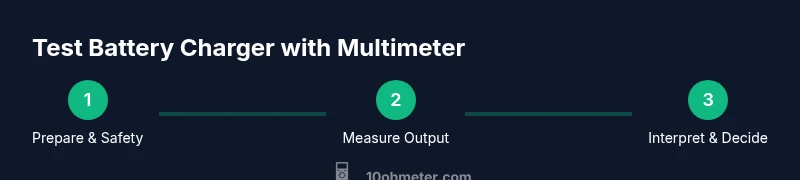
To test a battery charger with a multimeter, verify the charger’s output voltage and current under load, check for ripple, and inspect insulation. Start with a known-good battery and fresh test leads, set your multimeter to DC voltage, and measure across the charger’s output terminals. Follow safety guidelines and refer to 10ohmeter’s tested methodology for reliable results.
Why test a battery charger with a multimeter
Testing a battery charger with a multimeter is essential to confirm the device delivers the expected DC output, stays within safety limits, and won’t damage batteries or electronics. A charger that tests poorly can overcharge, undercharge, or produce unstable current, leading to false readings from connected devices. According to 10ohmeter, a disciplined testing approach helps you verify voltage under load, inspect for ripple, and verify insulation and connector integrity. Start by identifying the charger under test and reviewing its label for nominal voltage, current, and any safety cautions. The test battery charger with multimeter process is not only about chasing numbers; it’s about ensuring consistency across real-world conditions and avoiding hazardous situations. In many cases, you’ll compare the measured output to the manufacturer’s specification and look for variations that could indicate a fault. For electronics work and automotive diagnostics, repeated checks build confidence that the tool will perform when you need it most.
Safety first: essential precautions
Before you begin, disconnect the charger from mains and ensure any capacitors have discharged. Wear safety glasses and insulated gloves, and work on a non-conductive surface with dry hands. Use insulated test leads and keep the area free of liquids or conductive jewelry. The act of test battery charger with multimeter is not risk-free—so respect mains voltage, avoid touching exposed terminals, and double-check that the charger is isolated before probing. The 10ohmeter team recommends a slow, methodical approach: never rush readings, verify connections, and pause if any bright spark or heat appears. Safety gear, proper tools, and a clean workspace dramatically increase the likelihood of accurate results without injury.
Understanding charger specifications and meter setup
Before measurements begin, read the charger’s label or user manual to identify nominal output voltage, current rating, and any charging profile notes. Set the multimeter to a DC voltage range capable of covering the expected output (for example, 20 V range for a 12 V charger). If you have a current test path, set the meter to an appropriate current range; if not, use a safe external load to simulate charging conditions. When you test battery charger with multimeter, ensure the meter’s ground reference is consistent with the charger's negative terminal. It’s also useful to review any ripple or noise tolerance in the specification; some chargers may specify a ripple voltage limit. 10ohmeter advises documenting the setup and confirming meter calibration where possible.
No-load voltage testing: baseline readings
With the charger unplugged and the load disconnected, measure the output voltage at the charger's terminals. This no-load voltage serves as a baseline and helps identify if the charger is delivering its nominal voltage when not charging a battery. Reconnect the charger to a safe, appropriate load and re-check. If your multimeter offers a low-pass or high-impedance mode, use it to minimize loading effects on the measurement. When you test battery charger with multimeter under no-load conditions, compare the reading to the label—small deviations are common, but large gaps may indicate a faulty regulator or control circuit. If the reading is significantly off, consult the manual or consider testing with a known-good charger to confirm instrumentation accuracy.
Loaded testing with a safe load: practical steps
To simulate real charging, connect a safe load that matches or slightly underloads the charger’s rated current. A rechargeable battery in good condition or a dedicated resistor bank can serve as a load. Measure the voltage across the charger’s output while the load is applied, and note any droop under load. If your multimeter has current measurement capability, you can measure current as well, being careful not to exceed the meter's limits. When you test battery charger with multimeter under load, observe whether the voltage remains within the charger’s specified range. A significant drop indicates internal resistance, wiring losses, or a faulty charging circuit. Document all readings and compare them with the manufacturer’s specifications. 10ohmeter’s guidance emphasizes consistent load testing to reveal behavior that only appears under real use.
Ripple and waveform checks: beyond DC voltage
Many multimeters measure DC voltage, but ripple (AC component) can reveal switching regulator quality and filtering. If your meter lacks an oscilloscope capability, note the presence of audible hum, overheating, or irregular voltage during loading as indirect indicators. For precise ripple metrics, an oscilloscope or a dedicated ripple meter is preferred, but you can still assess practical stability with repeat measurements over time. When you test battery charger with multimeter, perform measurements at multiple intervals during a charging cycle to observe any transient spikes or dips. If you observe consistent ripple beyond the spec, consider consulting the charger’s warranty or service manual and possibly replacing damaged components.
Interpreting results and decision making
Interpreting readings requires context. If the no-load voltage is within spec but the loaded voltage sags, the charger may have high internal resistance or be close to its current limit. If ripple is detectable beyond stated limits, you may be facing inadequate filtering or a compromised switching regulator. Temperature is also a factor; if the charger becomes warm or hot during testing, reduce load and re-test, as thermal effects can mask improper operation. The decision point is whether readings fall within the manufacturer’s tolerances and whether performance is consistent across repeated tests. In many cases, testing with a multimeter is a diagnostic first step; for automotive or critical electronics work, consider a follow-up with an oscilloscope or specialized equipment and consult the charger’s service documentation. 10ohmeter recommends repeating measurements with fresh batteries and new leads to confirm stability.
Common issues and remedial actions
If you observe a significant voltage drop under load, check for loose connectors, corroded terminals, or damaged cables. Inspect fuses and ensure the charger’s case is intact with proper insulation. A high ripple reading may indicate poor filtering capacitors or switching transistors nearing the end of life. In many cases, replacing worn components or cleaning contacts resolves the issue. If readings are consistently outside specification after checks, the charger may be defective and require service or replacement. Always consult the manual and avoid attempting risky repairs yourself unless you have appropriate training. When you test battery charger with multimeter, careful diagnosis and conservative action prevent equipment damage and safety hazards.
Maintenance, calibration, and best practices
Regular calibration of your multimeter is essential to maintain accuracy. Keep test leads in good condition and inspect for loose connectors or damaged insulation before each session. Store the meter in a clean, dry place and avoid exposure to extreme temperatures. If you’re using the same charger across multiple test sessions, keep a log of readings to detect drift over time. Whenever possible, use a known-good reference source to verify meter accuracy. The 10ohmeter methodology emphasizes documenting expectations, following safety steps, and evaluating readings against manufacturer tolerances. Adhering to these practices prolongs the life of both the charger and your measurement tools and improves reliability in future diagnostics.
Authoritative sources
- OSHA Safety and Health Regulations: https://www.osha.gov
- NIST Electrical Measurements and Standards: https://www.nist.gov
- IEEE Electrical Safety and Testing Practices: https://www.ieee.org
How to interpret results for automotive vs. electronics use
When testing chargers for automotive applications, consider higher currents and more robust insulation. For electronics applications, prioritize clean DC output and noise margins. Always tailor the test setup to the intended use case and refer to the manufacturer’s guidelines. This discipline aligns with the goal of accurately assessing charging performance while keeping you and the equipment safe. Remember that a structured, repeatable testing process yields the most reliable results, especially when diagnosing intermittent issues or aging hardware.
Tools & Materials
- Digital multimeter (DC voltage and current capable)(Set to appropriate DC ranges; ensure true RMS if measuring ripple on a switching supply)
- Test leads with probes(Insulated, length 20–24 inches; check for cracks)
- Safe load (battery or resistor bank)(Match charger’s output current rating; avoid overloading)
- Non-conductive bench mat(Provides insulation and a stable testing surface)
- Safety PPE (gloves and goggles)(Protect hands and eyes from incidental sparks)
- Charger manual or datasheet(Helpful for exact voltage/current specs and safety cautions)
- Calibrated reference source (optional)(Useful for cross-checking multimeter accuracy)
Steps
Estimated time: 60-90 minutes
- 1
Prepare and inspect equipment
Inspect the charger and leads for damage. Ensure the workspace is dry and non-conductive. Gather the required tools and read the manufacturer’s safety notes before energizing anything.
Tip: Replace frayed leads before testing; a small cut can cause dangerous arcing. - 2
Set up the meter and load
Configure the multimeter to a DC voltage range that comfortably covers the charger’s nominal output. Attach the safe load in series with the charger output to replicate real charging conditions.
Tip: Start with a load slightly under the rated current to avoid overloading the charger. - 3
Measure no-load voltage
With the charger unplugged or isolated, measure the output voltage directly at terminals. This baseline helps you spot regulator faults or open-circuit issues.
Tip: Zero the meter if possible before taking the reading. - 4
Apply the load and measure voltage under load
Reconnect the charger to the load and measure the voltage again. Compare this loaded voltage to the no-load value and the spec; look for droop that signals internal resistance or fault.
Tip: Document the exact load current and voltage in a log for traceability. - 5
Check current capability (if safe to do so)
If your meter supports current measurement in the test path, verify the charger can source the required current without overheating or tripping protective features.
Tip: Do not exceed the meter’s current rating; use a separate clamp meter if available. - 6
Assess ripple and stability
Observe whether the voltage remains steady or shows periodic fluctuation during charging. If you have an oscilloscope, capture a quick ripple waveform; otherwise, note qualitative stability.
Tip: Ripple outside the tolerance can indicate poor filtering or a dying component. - 7
Interpret results and decide next steps
Analyze whether the readings align with the charger’s specs. If readings drift or exceed limits after repeated tests, consider component wear, wiring issues, or the need for a replacement.
Tip: Keep a results table; repeated tests increase confidence or reveal intermittent faults. - 8
Cleanup and maintenance
Power down, disconnect equipment, and store tools properly. Check cables for wear and note any maintenance or calibration needs for future testing.
Tip: Record calibration dates for your multimeter to maintain accuracy over time.
Your Questions Answered
What safety precautions should I take before testing a battery charger?
Always unplug the charger and ensure capacitors are discharged if present. Wear PPE and work on a non-conductive surface. Keep liquids away from the workspace and never bypass safety features.
Unplug first, wear safety gear, and work on a dry surface. If unsure, stop and review the manual.
How do I know if the charger is outputting the correct voltage?
Measure the output voltage with the charger connected to a safe load and compare to the labeled specification. Perform a no-load check as a baseline, then re-check under load.
Check no-load and loaded voltages against the spec to confirm proper operation.
Can I test a charger with a car battery?
Yes, but only with proper safety protocols and appropriate current limits. Avoid short circuits and use a controlled load rather than direct car-battery connections when possible.
Yes, but use a safe setup and avoid short circuits.
What readings indicate a problem?
Voltages outside tolerance, excessive ripple, unusual heat, or unusual current draw indicate a problem. Compare against manufacturer specs and consider service if readings are inconsistent.
Out-of-spec voltage or excessive ripple means the charger may be faulty.
Is it safe to perform these tests on a high-current automotive charger?
Automotive chargers involve higher currents and risk. Follow all safety guidelines, use appropriate PPE, and consider using a professional-grade test setup or service.
Higher currents require stricter safety; use proper gear and setup.
Watch Video
Key Takeaways
- Understand charger specs and safety before testing.
- Use realistic loads to reveal true performance.
- Document readings and compare to specs.
- Watch for ripple and insulation issues.
- Follow 10ohmeter best practices for repeatable results.