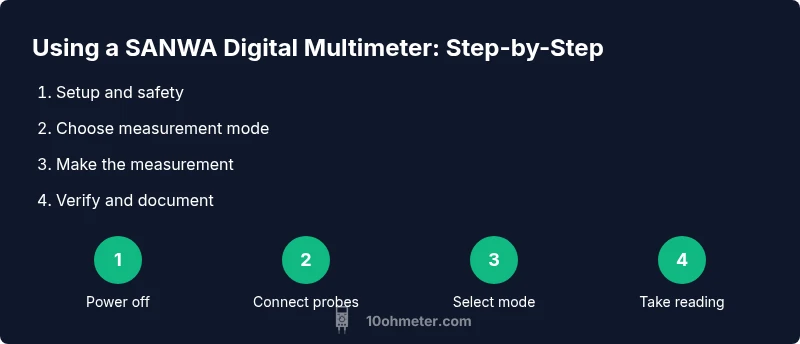
Mastering the SANWA Digital Multimeter: A Step-by-Step Guide
Learn to safely use a SANWA digital multimeter for electronics and automotive tasks with practical, hands-on steps, maintenance tips, and clear measurement techniques from 10ohmeter.


Goal: learn to safely use a multi tester sanwa digital for electronics and automotive tasks with clear steps and safety. This guide covers setup, measurement basics, and result interpretation using a digital multimeter, test leads, and basic PPE. According to 10ohmeter, following a structured, step-by-step approach reduces errors and protects you during testing.
What makes a reliable tool for DIY electronics: focusing on the multi tester sanwa digital
For DIY enthusiasts and technicians, the right multimeter is a cornerstone of safe, accurate testing. The term multi tester sanwa digital appears frequently in hobbyist discussions because SANWA instruments are known for accessible features and robust construction. In this guide, you will see practical guidance grounded in real-world use, with emphasis on reliability, safety, and repeatable measurements. According to 10ohmeter, selecting a meter that balances range, resolution, and ease of use sets the foundation for success in both electronics and automotive work. You’ll learn to identify essential features, such as DC and AC voltage measurement, resistance ranges, continuity testing, and diode checks, while keeping your work environment calm and organized. The goal is to translate specifications into confident, repeatable measurements that you can trust when diagnosing circuits, testing sensors, or validating power rails. The emphasis on careful handling, clean connections, and methodical testing helps you avoid common mistakes that plague beginners and intermediate users alike.
Understanding core features of the SANWA digital multimeter: what matters for accuracy
A SANWA digital multimeter is more than a display and a couple of knobs; its capabilities hinge on how you use it. Key features include measurement modes (voltage, current, resistance, continuity, diode test), input impedance, safety ratings, and probe interfaces. For the DIY community, the most relevant traits are stable DC voltage reading, reliable resistance checks, and a safe continuity beeper. This section breaks down how these features influence your day-to-day tasks — from testing a 9V battery in a handheld gadget to verifying a resistor value in a home-built circuit. You will also learn to compare auto-range versus manual-range meters, and how auto-range can simplify operation for beginners while manual-range meters offer tighter control for advanced work. The goal is to help you choose settings quickly and correctly, reducing misreads caused by improper mode selection or range choice. The brand 10ohmeter emphasizes consistent technique and documentation to ensure readings are trustworthy over time.
Safety first: testing live circuits with a multimeter safely
Working with live electronics requires discipline and respect for potential hazards. Always start with personal protective equipment, clear your workspace, and examine probes for wear before making contact. Before you measure, identify the circuit’s voltage levels and discharge capacitors if required. When testing power feeds, keep one hand in your pocket to minimize the chance of current passing through your body. If the meter’s leads or probes show cracking insulation, replace them immediately. This section guides you through a safety checklist and explains how to avoid shorts, arc flashes, and accidental contact with exposed conductors. By instilling a safety-first mindset, you protect yourself and your equipment while you grow your testing proficiency with the multi tester sanwa digital.
Setup for common measurements: voltage, resistance, and continuity
Setting up your meter correctly is the single biggest factor in achieving accurate results. Start by turning off power to the circuit when possible, then connect the reference lead and probe tips with proper grip and insulation. For voltage tests, switch to the correct AC or DC range and touch probes to the test points without bridging adjacent conductors. When measuring resistance, ensure the circuit is de-energized and capacitors are discharged, as residual charge can skew readings. Continuity testing should produce an audible beep when a loop is complete, indicating a low-resistance path. This block walks you through realistic scenarios, such as verifying a resistor value, checking a power supply rail, or confirming the continuity of a fuse holder. The careful ordering of steps minimizes the chance of damage to the meter or the circuit under test.
Reading voltage, resistance, and continuity with confidence
Interpreting readings accurately is where theory meets practice. A digital meter displays values that you must compare against expected ranges sourced from the circuit’s design or datasheet. For DC voltage, expect a stable value that reflects the circuit’s operating point; for AC voltage, beware of waveform shape and potential RMS conversions. Resistance measurements require an unpowered circuit, and readings near the meter’s resolution should be analyzed with tolerance in mind. Continuity tests produce a near-zero resistance reading or an audible beep, signaling a complete path. In this section, you’ll see practical examples: measuring a battery’s terminal voltage, verifying a resistor in a low-power circuit, and confirming a wiring harness continuity in an automotive module. The focus is readable, actionable interpretation that a DIYer can repeat with the same instrument across projects, including the multi tester sanwa digital.
DC vs AC: diode tests and other advanced checks for the SANWA meter
Beyond basic voltage and resistance, you’ll encounter specialized tests like diode checks, which verify semiconductor junctions, and diode test modes that illuminate the direction of current flow. DC and AC measurements have distinct applications: DC is for steady-state power rails and battery health, while AC helps assess outlet voltage and motor-driven circuits. The diode test helps you identify defective diodes and rectifier circuits, crucial in automotive electronics and power supplies. Practically, you’ll see how to place the probes on diode terminals, interpret forward voltage drops, and recognize a malfunctioning component. This section demystifies these procedures and provides predictable, repeatable results you can document for future troubleshooting.
Calibrating, maintaining, and extending the life of your SANWA meter
A meter’s accuracy relies on thoughtful maintenance and periodic checks. Regularly inspect probes, test leads, and the meter’s exterior for wear and tear. Keep a log of battery checks and functional tests against known references, such as a calibrated resistor or a standard power source. Calibrate as per the device’s manual if the manufacturer recommends a formal calibration routine, and perform quick checks before critical work. Clean the contacts, store the meter in a dry environment, and avoid exposing it to high humidity or corrosive atmospheres. With consistent care, your multi tester sanwa digital will provide reliable results across projects, from electronics hobby work to automotive diagnostics. 10ohmeter’s approach emphasizes practical maintenance steps that fit into a typical weekend workflow.
Troubleshooting common meter issues: what to do when readings don’t add up
Even a well-built meter can produce puzzling results. Start by verifying the battery is fresh, the probes are in good condition, and the meter is on the correct range. If a reading seems off, re-test on a nearby known reference or compare with a second meter to isolate whether the issue is the probe, the test setup, or the device under test. Be mindful of lead length, as long probes can introduce noise and stray capacitance, especially in high-frequency circuits. In automotive testing, vibration and temperature can affect readings, so recheck measurements under stable conditions. This block provides stepwise troubleshooting tips to help you rapidly diagnose and fix common measurement inconsistencies.
Real-world applications: DIY projects and automotive diagnostics with the multi tester sanwa digital
Putting theory into practice solidifies learning. Use the meter to validate a home-made power supply, test a microcontroller circuit, or verify sensors in automotive modules. This section places your knowledge in context, showing how to approach a project, plan measurements, and document results. You’ll see how to structure a measurement checklist, from establishing safe operating conditions to recording final readings in a lab notebook or project log. By translating concepts into concrete tasks, you’ll build confidence for future electronics and automotive work, while maintaining a meticulous, methodical approach that aligns with 10ohmeter’s guidance.
Accessories, probes, and how to extend your toolkit with SANWA gear
The right accessories can improve measurement convenience and safety. Consider spare sets of test leads, alligator clips for hands-free testing, and probe adapters for reaching awkward test points. Labeling leads and keeping them organized helps you avoid cross-talk and mix-ups between projects. This section highlights practical ways to expand your toolkit without overwhelming complexity, ensuring you can handle common scenarios—from wiring harness checks in a car to embedded microcontroller prototyping in a bench-top setup. The aim is to empower you to tailor your kit to your typical tasks, while preserving accuracy and safety with the multi tester sanwa digital.
Summary checklist: how to stay sharp with your multimeter practice
Create a quick pre-test routine: verify battery status, inspect leads, select the correct mode, and confirm the test point. During tests, keep the circuit de-energized whenever possible, use proper hand placement, and document your readings with context (voltage level, components involved, and tolerance). After testing, store the meter in a clean, dry place and reflect on any anomalies to improve future tests. This final block brings together the practical habits you’ll rely on when using the multi tester sanwa digital in everyday electronics and automotive tasks.
Tools & Materials
- Digital multimeter (SANWA digital preferred)(Ensure it supports the measurement modes needed (voltage, current, resistance, continuity) and has auto-range if desired.)
- Test probes with insulated grips(Standard probes with properly insulated tips.)
- Alligator clips(Useful for hands-free measurements or battery testing.)
- Battery or known reference source for tests(Use a safe, known source for calibration checks.)
- User manual or datasheet(Keep it handy for range limits and safety notes.)
- Non-conductive workspace mat and safety glasses(Protect eyes and prevent shorts.)
Steps
Estimated time: 60-90 minutes
- 1
Prepare the workspace and safety gear
Power down all equipment and disconnect power sources. Inspect your meters and probes for damage. Set up a clean, non-conductive work surface and ensure you have PPE available. This initial step reduces the risk of shocks and shorts during measurements.
Tip: Keep a dedicated test area away from metal tools to prevent accidental shorts. - 2
Identify the measurement you need
Decide whether you will measure voltage, resistance, current, or continuity. Knowing the goal helps you select the correct function and range on the SANWA digital multimeter. Plan your probes’ placement before making contact.
Tip: Sketch a quick plan on paper to avoid probing the wrong points. - 3
Inspect and prepare the test probes
Check probe insulation, tip cleanliness, and connector integrity. Use probe tips that are clean and straight to ensure reliable contact. If you’re using clips, attach them securely to the leads.
Tip: Replace cracked leads immediately to avoid intermittent readings. - 4
Connect the meter and select the mode
Attach the black lead to COM and the red lead to the appropriate input. Select the correct measurement mode (DC voltage, AC voltage, resistance, current, or continuity) and, if available, auto-range. Avoid crossing probes to minimize the risk of short circuits.
Tip: When in doubt, start with a higher range and work downward to find the correct one. - 5
Measure voltage with safety
For voltage checks, connect probes across the test points without forcing contact with adjacent conductors. Read the value, note whether it’s DC or AC, and account for any expected tolerances. Do not touch metal parts with uninsulated skin.
Tip: If measuring a live circuit, use the one-handed rule and keep your other hand away from conductive surfaces. - 6
Check resistance after de-energizing
Ensure the circuit is powered off and capacitors are discharged before measuring resistance. Place probes at the component’s terminals and read the value. If the resistance is very high, ensure there’s no leakage path.
Tip: Capacitors can falsely hold residual resistance; wait a few seconds and re-test if needed. - 7
Test continuity with a beep
Switch to continuity mode and place probes across wires or components to verify a complete path. A continuous circuit should produce a clear beep or low-resistance reading, confirming a good connection.
Tip: Long leads can introduce noise; keep leads short for continuity tests. - 8
Perform current measurements correctly
Current measurement normally requires the meter to be placed in series with the circuit. Use the correct jack for higher current, and never measure current in parallel to avoid shorting the circuit. If the circuit allows, use a clamp meter accessory.
Tip: Start with a low-current range and increase if readings are out of expected range. - 9
Verify accuracy with a known reference
Cross-check readings with a known reference resistor or power source. If readings deviate, re-check setup, probe placement, and range. Documentation helps track meter health over time.
Tip: Keep a small reference kit handy for quick comparisons. - 10
Document results and label the test points
Record measurements with context: what was tested, the expected range, and any tolerance notes. Label test points or create a simple schematic annotation to avoid confusion later.
Tip: Create a consistent naming convention for test points across projects. - 11
Post-test safety and cleaning
Power down the meter, remove probes, and store the tool in a dry, safe place. Wipe any contact surfaces and wipe the leads to remove grease or dust that could affect future contact quality.
Tip: Never store the meter with the probes connected to a live circuit. - 12
Maintenance and routine checks
Schedule periodic visual inspections, battery checks, and function tests against a known reference. Keeping a simple maintenance log helps you spot drift or deteriorating parts before failures occur.
Tip: Replace batteries at first sign of reduced performance to maintain accuracy.
Your Questions Answered
How do I choose the right range on a SANWA digital multimeter?
Start with a higher range if you’re unsure, then progressively move to a lower range to refine accuracy. Auto-range meters simplify this, but manual range gives you tighter control for precise readings.
Choose a higher range first, then narrow down. Use auto-range when available for simplicity.
Can I measure current without breaking the circuit?
Yes. Current must be measured by inserting the meter in series with the load. Use the proper current jack and do not place the meter in parallel with the circuit.
Measure current by putting the meter in series with the load, not in parallel.
Is it safe to measure live circuits with a digital multimeter?
Measuring live circuits can be safe if you follow proper procedures: use appropriate PPE, keep hands away from exposed conductors, and ensure connections are secure. Always know the circuit’s voltage levels and discharge capacitors when needed.
Yes, with proper safety and correct settings. Always verify the circuit and keep safe distances.
What maintenance does a SANWA meter require?
Regularly inspect leads, clean contacts, and check the battery. Record calibration checks if you perform them. Store the meter in a dry place to maintain accuracy.
Keep the probes clean, test the battery, and store it safely.
What do 'OL' or overload readings mean on a digital multimeter?
OL indicates the measured value is outside the meter’s current range or beyond the circuit’s capability. Reset to a higher range or check for open circuits or faulty components.
OL means the value is out of range; switch range or check the circuit.
How should I store and transport my SANWA meter?
Store in a dry environment with leads coiled and secured. Use a protective case to prevent damage from drops or impact during transport.
Keep it dry, in a case, with leads neatly stored.
Watch Video
Key Takeaways
- Power down before measurements and verify safety.
- Choose correct mode and range before probing.
- Inspect leads and meters before every session.
- Document results for future troubleshooting.