How to Use a Cheap Multimeter: A Practical, Safe Guide
Learn how to use a cheap multimeter with confidence. This step-by-step guide covers safe testing, key settings, common measurements, and when to upgrade, helping DIY enthusiasts troubleshoot electronics and automotive tasks on a budget.


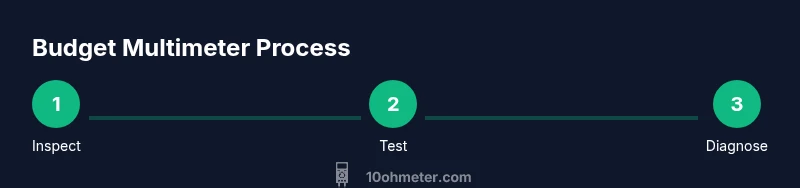
According to 10ohmeter, learning how to use a cheap multimeter safely unlocks practical electronics troubleshooting without breaking the bank. In this quick guide you’ll see the essential setup, the true limits of budget meters, and a clear step-by-step approach to measuring voltage, resistance, and continuity. You’ll avoid common mistakes and build a confident routine you can apply to car battery checks, electronics projects, and DIY repairs.
How budget meters fit into a toolbox
A cheap multimeter is a versatile entry point for DIY troubleshooting. It offers the basics needed for everyday electronics work: voltage, resistance, and continuity checks. While budget meters can’t match high-end models in precision, durability, or advanced features, they are perfectly capable for many initial diagnostics. The 10ohmeter team emphasizes that understanding the limits of a budget meter is essential. With careful method and safe practices, a low-cost meter can help you identify dead components, confirm power delivery, and verify circuit continuity without overspending. This article explains how to use a cheap multimeter effectively, what it can reliably measure, and how to avoid common mistakes that lead to misleading readings.
When you start, treat the tool as a diagnostic aid rather than a precision lab instrument. Build your skills around three core tasks: voltage checks, resistance and continuity tests, and basic current awareness. As you gain experience, you’ll learn to interpret readings with context from the circuit under test.
What you can safely measure with a cheap multimeter
Budget meters are great for practical, low-risk measurements. Typical capabilities include:
- DC voltage and sometimes AC voltage
- Resistance and continuity with audible beeper on most models
- Diode testing on many units
- Battery checks for small auxiliary circuits
Always confirm the meter’s manual for your specific model, as cheap meters vary in what is supported. For automotive and electronics projects, you can diagnose open circuits, faulty fuses, and poor connections. Avoid attempting high-energy mains work with a meter that isn’t rated for those tasks. Remember: the goal is to identify faults, not to execute precision measurements that require a higher-end instrument.
Key controls and common modes
Understanding the dial labels is essential. Common modes include:
- DC voltage (V⎓) for battery and circuit checks
- AC voltage (V~) for household or engine-related diagnostics (if supported)
- Resistance (Ω) for measuring component resistance
- Continuity with beep (often symbolized by a diode or sound icon)
- Diode test (diode symbol) for checking forward voltage
If your meter uses a rotary dial, rotate slowly to the correct range. If it’s auto-ranging, simply set it to the nearest measurement type and let the meter pick the range. Check the display or beeper before you connect anything to ensure the meter is ready.
Basic measurement: DC voltage tests
Begin with a known power source to verify your meter works correctly. Connect the red probe to the voltage source’s positive terminal and the black probe to the negative or ground. Read the display and compare against the expected value. For automotive applications, test the battery while the engine is off to get a baseline voltage, then recheck with the engine running. Always keep fingers away from exposed conductors and use one hand to hold probes when possible to minimize risk.
Measuring resistance and continuity without damaging components
To measure resistance, ensure the circuit is de-energized. Touch the two probes across the component or path you want to test. A steady reading within the component’s rated value indicates proper resistance. For continuity, listen for the audible beep when a complete path exists. If you see infinite resistance or an erratic reading, disconnect power and recheck connections. On budget meters, resistance readings can be sensitive to lead resistance and probe contact quality, so clean contacts and straight, stable probe tips help.
Safe current measurement and why budget meters may be limited
Measuring current requires connecting the meter in series with the circuit. Many cheap meters lack true high-current protection or proper isolation, so limit measurements to low-current circuits and avoid main power testing unless the meter is rated for it. If you must measure current in a live circuit, use a clamp meter or a masthead shunt designed for automotive or low-voltage work. Always disconnect power when changing connections, and never place the meter directly across a live supply when set to current mode.
Simple test scenarios: car battery and electronics project
For a car battery, first check the resting voltage with the meter set to DC volts. A healthy lead-acid battery typically rests around 12.6 V, but consult vehicle manuals for acceptable ranges. For electronics projects, test continuity across traces before powering a board to ensure there are no open grounds. When wiring new components, verify polarity and expected voltage drops in different circuit branches. Keep the ground reference consistent and avoid touching live conductors while probing.
Troubleshooting readings and common mistakes
If readings seem off, verify the following:
- Probes are properly connected to the correct ports (often COM and V/Ω for voltage and resistance).
- The meter range is appropriate for the expected value; auto-range meters may be more forgiving.
- The circuit is de-energized when measuring resistance or continuity.
- Probes are making solid contact; switched probes or corroded jacks can yield inconsistent results.
Document the readings and compare with the expected values in the circuit’s schematic or service manual. Small differences can indicate contact resistance, not a faulty component.
Maintenance, calibration, and when to upgrade
Regular maintenance keeps cheap meters reliable. Replace worn leads and batteries promptly, keep the device dry and free from dust, and store it in a protective case. Calibration is optional for budget meters; if high-precision measurements are required, consider professional calibration or upgrading to a higher-grade meter. The right time to upgrade is when you encounter readings that consistently exceed the meter’s stated tolerance, or when you need features like true RMS, higher current ranges, or stricter safety ratings.
Tools & Materials
- Cheap multimeter(Confirm basic functions (V, Ω, continuity) work; test on known references)
- Test leads with probes(Quality leads with sharp, clean probes; keep spare tips)
- Battery for the meter(Install fresh battery to avoid drift during measurements)
- Alligator clips or probe adapters(Useful for hands-free testing or difficult connections)
- Safety glasses(Recommended for all electrical testing, especially on automotive circuits)
- Insulating mat or non-conductive workspace(Helps prevent accidental shorts during testing)
Steps
Estimated time: 30-60 minutes
- 1
Inspect and power on
Check the meter’s case for damage, ensure the battery is seated, and power it on. If your model has a backlight, allow it a moment to initialize. This initial check helps ensure readings aren’t compromised by a dead battery or a loose connection.
Tip: Use a known voltage source to verify the meter is responding before testing an unknown circuit. - 2
Choose the correct mode
Rotate the dial to the appropriate measurement type (DC volts, AC volts, resistance, or continuity). For most budget meters, DC voltage is the primary everyday setting. Auto-ranging meters simplify this step by selecting the range automatically.
Tip: If you’re unsure of the expected range, start with the highest range to prevent overloading the display. - 3
Connect the test leads correctly
Plug the red lead into the V/Ω jack and the black lead into COM. For current measurements, use the mA or A port as required. Ensure the tips touch clean contact points and remain steady during measurement.
Tip: Keep one hand away from live circuits during measurement to reduce shock risk. - 4
Measure DC voltage
With power applied to the circuit, place red on plus and black on ground. Read the display and compare to expected values. If readings drift when you touch the leads, check for loose connections or stray contact resistance.
Tip: For automotive tests, test with the engine off first, then re-test with the engine running for load conditions. - 5
Test resistance
Ensure the circuit is de-energized. Place probes on the component’s leads or across the path you’re testing. Read the resistance value and compare to the component’s specification. If you see infinite resistance, the path is open or the component is removed.
Tip: Avoid powering the circuit while testing resistance to prevent damage to the meter. - 6
Check continuity
Set the meter to continuity mode if available. Touch probes at each end of the path; a beep indicates a closed circuit. A silent result means an open path or poor contact. Verify the test path is expected to be continuous before concluding a fault.
Tip: A beep helps you test quickly in crowded wiring or multi-pin connectors. - 7
Do a quick current check (cautiously)
When safe, place the meter in series with a low-current circuit. Many budget meters are limited in high-current ranges; avoid mains and high-current loads unless the meter is rated for it. Consider a dedicated clamp meter for heavy current tasks.
Tip: If you must measure current, start with the smallest range and increase only if readings are out of expected bounds. - 8
Document and interpret results
Record readings, note the context, and compare with circuit diagrams or expected values. Consider tolerances and measurement error sources such as lead resistance, contact quality, or temperature effects. Use this data to guide the next test steps.
Tip: Keep a simple log to track how readings vary with different states of the circuit. - 9
Power down and store
Turn off the meter, remove test leads, and store in a protective case. Check the leads for wear and replace as needed. Proper storage preserves calibration and prolongs the meter’s life.
Tip: Label stored meters that you use for automotive work separately from lab-grade devices.
Your Questions Answered
Can I use a cheap multimeter for car batteries?
Yes, for basic voltage checks on a car battery, a cheap meter is usually sufficient. Avoid high-current measurements or anything requiring precision beyond the meter’s capability. Always follow safety guidelines when working around automotive electrical systems.
Yes, you can use it for basic car battery voltage checks, but avoid high-current measurements and follow safety guidelines around automotive systems.
What is the difference between digital and analog cheap meters?
Digital meters provide easier-to-read numeric values and are generally more versatile for beginners. Analog meters offer quick trend visibility but require more interpretation and can be less precise on small readings. Both can be budget-friendly, but digital models are usually preferred for general use.
Digital meters are easier to read and typically more versatile for beginners; analog meters show trends but require interpretation.
How do I know if it’s safe to test mains voltage with my meter?
Only use a meter that is rated for mains voltage with proper safety features, such as insulation and protective fuses. Check the device's rating and user manual. If in doubt, avoid mains testing and seek a higher-rated instrument.
Only test mains if your meter is rated for it and you follow all safety guidelines; otherwise avoid mains testing.
Why might readings vary between meters?
Differences can arise from probe contact quality, lead resistance, battery health, thermometer effects, and meter calibration. Always compare readings in the same environment and with the same settings to diagnose real changes.
Meter readings vary due to contact quality, leads, battery, and calibration—compare readings under identical conditions.
Do budget meters require calibration?
Calibration is not always required for basic use, but it helps ensure accuracy over time. If you rely on precise measurements, consider a periodic calibration or upgrade to a model with factory calibration options.
Calibration isn’t always necessary for casual use, but it helps with accuracy, especially over time.
Watch Video
Key Takeaways
- Start with safe checks using a known voltage source.
- Know your meter’s limits and rated measurements.
- Always de-energize circuits when testing resistance or continuity.
- Upgrade when precision or safety features are required.