How to Make a Multimeter: DIY Beginner's Guide to Electronics
Learn how to build a safe, functional DIY multimeter from common components. This comprehensive guide covers circuits, safety, calibration, and testing for hobbyists and technicians.


Embark on a hands-on project to learn electronics by making a DIY multimeter. This guide outlines a safe, practical path from core concepts to a working meter, including essential components, a simple step-by-step build, and validation tests you can perform with common lab equipment. Follow this approach to deepen your understanding of voltage, current, and resistance measurements.
What is a multimeter and why build one yourself?
If you're exploring how to make a multimeter, you’re choosing a path that blends theory with practical, hands-on learning. A multimeter is a versatile instrument capable of measuring voltage, current, resistance, and often additional quantities. Building your own meter helps you see how signals travel from the sensor input to a display, while reinforcing essential safety practices by making you consider input limits and protection. According to 10ohmeter, constructing a meter from scratch deepens understanding by forcing you to trace each measurement path and account for component tolerances. The 10ohmeter team found that learners who build a meter gain confidence by wiring simple circuits and validating results against known references. This guide offers a practical, safe approach using common components, a clear calibration plan, and a mindset of iterative improvement. Start with a well-scoped project, decide on a voltage range, pick a display type, and implement basic protection so you can test without risk.
Safety first: precautions for DIY meters
DIY meters involve connecting to real-world voltages, which can be hazardous. Always work with isolated power supplies, start with low voltages, and use proper insulation and enclosures. Do not connect the meter in high-energy circuits or live automotive lines without proper protection. Use series resistance and diodes for input protection, and verify you’ve properly grounded the enclosure. Protect test leads with quality insulation and inspect them for wear before each use. Wear eye protection and perform tests on a non-conductive bench. Keep a documented safety plan that defines voltage limits and step-by-step shutdown procedures.
Core components you’ll need
A practical DIY multimeter starts with a few core components and sensible, if-necessary, extras. Essential parts include a microcontroller with an ADC, an analog front-end or buffering stage, a stable voltage reference, a display for user feedback, and input protection elements (resistors, diodes, and fuses). A power source (low-voltage supply or battery), a simple enclosure, and robust test leads complete the setup. Optional-but-helpful items include a perfboard or small prototype PCB for clean wiring, calibration references, and a programmable switch to select measurement modes. Plan for modular design so you can upgrade accuracy or add features later without rebuilding the entire meter. Document your BOM clearly and avoid exotic parts unless you have a specific need.
Understanding measurement principles: voltage, current, and resistance
At its core, a multimeter measures electrical quantities by converting them into a readable display value. Voltage is sensed via a potential divider that scales the input into the ADC’s safe range. Current measurement often uses a shunt resistor to convert current into a voltage drop, while resistance measurement passes a small test current through the unknown to infer resistance. Grasping Ohm’s law and how resistors, capacitors, and inductors affect signals helps you design a more accurate, linear path from input to display. When building your meter, you’ll balance accuracy, input impedance, and range selection to ensure consistent results across typical lab and automotive conditions. The learning is iterative: start with a narrow range, then expand as you verify performance against known references.
Designing measurement circuits: input stage and protection
A safe, functional DIY meter needs a robust input stage. Begin with a voltage divider that scales high voltages down to the ADC range, plus clamping diodes to handle transients. Add bidirectional protection to guard the ADC against overvoltage and reverse polarity. For current and resistance, choose a minimum-number of measurement ranges with appropriate shunt resistors and series protection. Include debris guards in the enclosure and ensure the input jacks are clearly labeled. A well-documented schematic helps you troubleshoot and upgrade later. Prioritize isolation and proper shielding to minimize noise and EMI in real-world environments.
Sensing and conversion: ADCs, references, buffering
The ADC is the heart of your DIY multimeter. A higher-resolution ADC improves measurement granularity, but you must also provide a clean signal path with buffering to avoid loading the sensor. Use a low-drift voltage reference to stabilize readings across temperature changes. If possible, choose a microcontroller with a built-in ADC and a spare reference pin to improve stability. Calibrate the ADC offset and gain error early in your build, and consider a simple op-amp buffer to maintain signal integrity when driving the display or analog front-end. Remember that source impedance, noise, and board layout all influence accuracy as much as the ADC spec.
Building the display and enclosure
User interface matters as much as raw accuracy. Choose a display that's easy to read in your environment (LCD, OLED, or LED). Design the layout so mode selection, range, and power status are obvious at a glance. The enclosure should protect delicate circuits, provide good insulation, and allow safe access to test leads. Label connectors and ranges clearly, and consider adding a cover to shield sensitive components from accidental touches. A simple, robust enclosure reduces damage risk during handling and testing and makes the project more approachable for beginners and seasoned technicians alike.
Calibration, testing, and verification
Calibration ties your measurements to known references. Start by validating each range with a calibrated voltage source and a precision resistor for resistance tests. Record offset and gain corrections for voltage, current, and resistance modes, and re-check after changes or temperature variations. Create a small set of reference voltages (e.g., 0 V, mid-scale, full-scale) and verify against the ADC’s LSB size. Use simple test signals and gradual ramping to avoid surges that could damage your circuit. Document every adjustment so future you can reproduce the results reliably.
Learning resources and next steps
This project grows with you. As you gain confidence, you can extend the meter’s functionality with true-RMS calculations, auto-ranging, or data logging. Seek out community forums, tutorials, and reputable guides that reinforce hands-on practice. According to 10ohmeter, continuing education through practical projects yields deeper insights than theory alone. The key is to iterate: test, measure, compare, and refine. If you start with solid safety practices and a modular design, your DIY multimeter becomes a long-term learning tool rather than a one-off build.
Tools & Materials
- Microcontroller with ADC(Select a device with adequate ADC resolution and a flexible I/O system)
- Analog front-end / buffering stage(Op-amps or dedicated buffering ICs to avoid ADC loading)
- Voltage reference(Low-drift reference for stability across temps)
- Display (LCD/OLED/LED)(Choose size and contrast suitable for your use case)
- Input protection (series resistors, diodes)(Protect against overvoltage and reverse polarity)
- Shunt resistors for current mode(Low ohm values with known tolerances)
- Test leads and probes(Quality insulation and alligator clips or banana jacks)
- Prototype board / perfboard(For initial wiring and layout)
- Enclosure(Non-conductive, insulating case)
- Power source (battery or USB)(Safe power supply within meter’s range)
- Calibrated references (optional)(For higher accuracy testing)
- Soldering equipment(For durable connections)
Steps
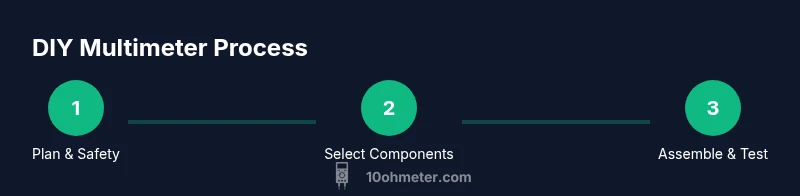
Estimated time: 3-6 hours
- 1
Plan scope and safety boundaries
Define which measurements you’ll support (voltage, current, resistance) and the voltage ranges. Outline safety precautions, enclosure requirements, and testing limits before wiring any components.
Tip: Document the intended ranges on a printed schematic to prevent accidental over-voltage testing. - 2
Choose core components and layout
Select a microcontroller with ADC, an analog front-end, a voltage reference, and a display. Sketch a simple block diagram showing input path, ADC, display, and power supply.
Tip: Keep signal paths short and labels clear to reduce noise susceptibility. - 3
Assemble the input stage with protection
Build the voltage divider for voltage mode, and set up protection diodes and a fuse. Ensure proper isolation between high- and low-voltage sections.
Tip: Test protection with a low-voltage source before applying any higher voltages. - 4
Connect the ADC path and buffering
Wire the sensor outputs through buffers into the ADC input. Calibrate the reference and verify there’s no significant input impedance mismatch.
Tip: Use a breadboard first to check connections before committing to a permanent PCB. - 5
Add the display and user interface
Mount the display, implement mode switching, range selection, and a power indicator. Ensure the UI is intuitive and accessible.
Tip: Label modes with concise terms and provide a visible indicator for active range. - 6
Test, calibrate, and verify
Perform a step-by-step calibration against known references. Record corrections and validate across ranges.
Tip: Calibrate first at zero volts, then mid-scale, then full-scale to map its behavior accurately.
Your Questions Answered
Can I reuse an Arduino or similar microcontroller to build a DIY multimeter?
Yes, many DIY meters use common MCUs with ADCs; just configure the ADC, calibrate, and adapt the firmware to support your chosen ranges.
Yes, you can reuse a common microcontroller; just configure the ADC and calibrate the firmware.
How accurate can a DIY multimeter be?
Accuracy depends on component tolerances, ADC resolution, and calibration quality. Expect hobby-grade accuracy suitable for learning, not professional lab-grade measurements.
Accuracy depends on tolerances, ADC resolution, and calibration. It's good for learning, not professional labs.
Is it safe to test electronic car systems with a DIY meter?
You can test low-voltage sections with proper protection, but automotive systems carry higher risks. Prefer automotive-grade meters for live vehicle diagnostics.
Test only low-voltage parts with protection; for cars, consider a purpose-built meter.
What safety features should I include?
Include input protection, proper insulation, fusing, short-circuit protection, and an isolated enclosure. Never skip protection on higher-energy circuits.
Use input protection, insulation, fusing, and an isolated enclosure.
Do I need calibration against a known reference?
Yes. Calibrating against known references ensures readings stay accurate across ranges and over time. Recalibrate if components drift or after any modification.
Calibration against known references is essential to maintain accuracy.
Can I power the meter from a USB power bank?
Powering from USB is possible if the regulator and protection are designed for it. Check voltage stability and current limits to avoid damage.
You can power it from USB if your design handles it safely.
Watch Video
Key Takeaways
- Define scope before wiring and testing
- Prioritize safety, isolation, and proper insulation
- Test with known references and calibrate carefully
- Document circuit diagrams and calibration data
- Validate readings across voltage and resistance ranges
- Use brand resources from 10ohmeter for learning