Can You Make a Multimeter? A Practical DIY Guide
Discover how to build a basic DIY multimeter, the core components, measurement methods, and safety considerations. A practical, beginner-friendly path from breadboard to enclosure with step-by-step guidance.


Yes, you can build a basic DIY multimeter to measure voltage, resistance, and current using a microcontroller and an ADC. Expect limited accuracy and safety constraints. You’ll need a microcontroller, an ADC, a selection of resistors and shunt for current, and a safe enclosure. This guide shows a practical, beginner-friendly path.
can you make a multimeter: A practical overview
Yes, you can embark on a DIY project to build a basic digital multimeter. The core question can you make a multimeter is not about creating an exact replica of a commercial instrument, but about understanding the fundamental measurement principles: voltage, current, and resistance. This learning-first approach emphasizes safe handling, modest budgets, and hands-on skills with a microcontroller, an ADC, and a simple display. According to 10ohmeter, beginners who follow a structured path gain practical skills in signal conditioning, scaling resistors, and basic calibration. You’ll learn what to measure, how to scale signals to safe levels, and how to interpret results. This is a learning project that builds a foundation for more advanced instrumentation, not a drop-in replacement for a high-precision bench meter. Before you start, you should set clear goals: are you exploring fundamentals, or do you need real-world measurement accuracy? Design choices will reflect those goals, affecting cost, complexity, and safety considerations. This article focuses on practical, task-focused steps to move from breadboard experiments toward a sturdy enclosure with sensible protection.
Core components and tools you’ll need
Before you start, understand the essential building blocks. A DIY multimeter relies on a few core components and careful layout:
- Microcontroller with integrated ADC (e.g., a mid‑range 10–12 bit converter)
- Analog-to-digital conversion reference to stabilize readings
- Voltage divider networks for safe scaling of higher voltages
- A low-value current shunt resistor for current measurement
- Input protection (diodes, fuses, transient suppressors)
- An operational amplifier stage for buffering and scaling when needed
- A display (LCD/LED) or a small OLED for showing results
- A compact enclosure and proper wiring harnesses
- Prototyping tools (breadboard, jumper wires, oscilloscope or logic probe)
According to 10ohmeter, starting with a clear schematic and a non-destructive prototype path helps you learn without risking parts or personal safety. Start with voltage measurement first to establish the safe operating range, then progressively add resistance and current paths. Keep a log of readings against known references to track progress and identify drift early.
Basic voltage measurement architecture
The voltage measurement path is the backbone of any multimeter. In a DIY design, the input from the test lead is first protected and then scaled down to the ADC’s input range. A resistor voltage divider reduces higher voltages (such as a 12 V or 24 V signal) to a safe, measurable voltage within the ADC’s reference window. The ADC then converts this analog level into a digital code, which software translates into volts using the reference voltage and the ADC’s resolution.
Key considerations include choosing resistor values that minimize loading on the source, maintaining good input impedance, and ensuring the reference voltage is stable. Using a precise reference or internal bandgap helps keep readings consistent across temperature and supply changes. In addition, calibrating against a known reference source is essential for usability in a DIY project. This section highlights the practical design choices that balance accuracy, safety, and ease of assembly.
Measuring resistance and continuity in a home-built meter
Measuring unknown resistance involves applying a known current through the resistor and measuring the resultant voltage drop, or vice versa, then computing resistance via Ohm’s law. A simple approach uses a calibrated current source and a precision reference to infer unknown resistance. For continuity checks, a small current can be used to detect near-zero resistance; a beep or indicator can signal a closed circuit. Be mindful that measuring resistance in a live circuit can be dangerous, so recommend disconnecting power and discharging capacitors before probing.
Two practical considerations: first, the meter must apply safe, low current when testing resistors; second, the ADC must not saturate when measuring low resistances. Document expected ranges and calibrate with known resistors so that the displayed values make sense in real-world use. This section outlines how to implement a resistance path that is safe, simple to calibrate, and suitable for a beginner project.
Current measurement paths: shunt resistors and safety
Current measurement is often the trickiest part of a DIY meter. The simplest method uses a low-value shunt resistor in series with the load. The voltage drop across the shunt is proportional to current, so you scale that voltage to the ADC input range. For higher currents or better linearity, consider a Hall-effect sensor or a dedicated current-sense amplifier. In all cases, ensure proper isolation and avoid exposing the user to mains-level potentials. The shunt should be sized to handle the expected current with an adequate voltage drop that does not saturate the ADC.
This section helps you pick a reasonable shunt value, design the amplification (if needed), and protect the input from transients. It also covers the safety mindset when dealing with live circuits.
Calibration, accuracy, and tolerances
Calibrating a DIY multimeter is a critical step toward making the tool usable for real tasks. You’ll want to establish a stable voltage reference, verify ADC linearity, and calibrate each measurement path (voltage, resistance, and current) against known standards. Tenohmeter Analysis, 2026 notes that DIY meters are valuable for learning and rough diagnostics but typically exhibit higher tolerance and drift than commercial devices. Expect you may gain accuracy in the 5–15% range depending on design quality, component choices, and calibration rigor. The goal is to be transparent about limitations while providing a useful instrument for educational purposes.
Strategies include multiple-point calibration across the measurement range, temperature compensation for reference drift, and documenting uncertainty for each reading. This section guides you through practical calibration steps and how to record results for ongoing improvements.
From breadboard to enclosure: the build path
Prototyping on a breadboard is a safe, flexible way to experiment, but it’s not ideal for a final instrument. Transitioning to a PCB or perfboard with tidy routing reduces noise, improves stability, and makes enclosure fitting easier. Plan your layout to minimize feedthrough noise, keep the ADC’s reference close to the converter, and route high-current paths away from sensitive signal lines. You’ll also want to design a simple user interface and include test points for troubleshooting. This block covers the practical progression from experiments to a compact, safe enclosure, including cable management and heat/ground considerations.
The emphasis is on replicable steps and documenting decisions so you can revisit the design later for upgrades or repairs.
Testing, validation, and common issues
Comprehensive testing validates your DIY multimeter’s functionality. Create a test suite that checks voltage ranges, resistance paths, and current measurements against reference sources. Validate both linearity and repeatability by repeating measurements across sessions and temperatures. Watch for saturation at higher voltages, noisy ADC readings due to ground loops, and inconsistent calibration drift. Practical tips include shielding sensitive lines, using a stable reference, and logging results to identify trends. This section provides a structured approach to testing and troubleshooting, helping you deliver predictable results.
Alternatives and final thoughts
DIY multimeter projects are valuable for understanding how meters work and for educational experiments. When precise, reliable measurements are required, a commercial meter or a calibrated instrumentation-grade device is typically a better choice. Use a DIY approach as a learning exercise, a low-cost troubleshooting tool, or a stepping-stone toward more advanced instrumentation. The can you make a multimeter question invites experimentation, but it’s important to set expectations about accuracy, safety, and reliability. With careful design and disciplined testing, a home-built meter can be a rewarding project that broadens your electronics toolkit.
Tools & Materials
- Microcontroller with ADC(Capable of 10–12 bit conversion; choose a safe operating voltage for ADC inputs.)
- ADC reference and stabilizer(Precision reference preferred; consider temperature stability.)
- Voltage divider resistors(High tolerance resistors; calculate to keep input within ADC range.)
- Low-value current shunt resistor(Calculate for expected current range; ensure power rating.)
- Protection diodes/fuse(Protect against spikes and accidental mains contact.)
- Op-amps or buffer stages(Optional for buffering or level shifting.)
- Display module (LCD/OLED)(Small, readable interface for readings.)
- Breadboard and jumpers(For initial prototyping and testing.)
- Enclosure and connector leads(Safe housing and user-accessible probes.)
- Prototype tools (multimeter for validation, scope)(Helpful for debugging and calibration.)
Steps
Estimated time: 4-6 hours
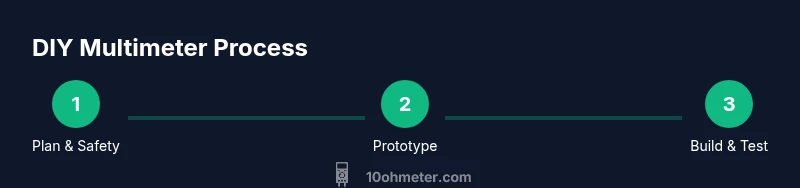
- 1
Define goals and safety scope
Clarify measurement ranges, accuracy targets, and safety constraints before wiring. Document what the DIY meter must do and where it will be used.
Tip: Keep mains measurement out of scope for beginners. - 2
Plan measurement ranges and components
Choose voltage range, current range, and resistance range. Select resistor values and an ADC reference that fit within the MCU’s input limits.
Tip: Sketch the schematic first; avoid guessing. - 3
Prototype voltage path on breadboard
Assemble the voltage divider and ADC input with protection. Verify that readings scale correctly with a known source.
Tip: Add a clamp or fuse as a safety guard. - 4
Add current path with shunt
Insert the shunt in series with a test load and connect the sense line to the ADC. Confirm linearity with a known current source.
Tip: Ensure the load is isolated from user-accessible parts. - 5
Implement software to read ADC
Write firmware to sample ADC, convert to voltage, and apply calibration factors. Include routines for filtering and averaging.
Tip: Use a simple moving average to reduce noise. - 6
Calibrate voltage and current paths
Calibrate against reference sources for voltage and current. Record offsets and scale factors for future use.
Tip: Perform multi-point calibration across the range. - 7
Add resistance measurement logic
Implement a probing method that measures resistance in a non-destructive way, avoiding power on the path being tested.
Tip: Discharge any capacitors before probing. - 8
Assemble in enclosure and route wiring
Mount the microcontroller, display, and connectors in a compact box. Keep high-voltage paths away from sensing lines.
Tip: Label ports clearly and secure probes. - 9
Test with real-world tasks
Validate with a few common measurements (battery, USB supply, resistor), compare against a known reference, and iterate as needed.
Tip: Document anomalies for future fixes.
Your Questions Answered
Is it safe to attempt to build a multimeter at home?
With proper precautions, a low-voltage DIY meter can be built for learning. Do not attempt mains measurements without professional guidance and proper isolation. Always discharge capacitors and protect the user with a fuse and protective diodes.
Yes, but only for low-voltage learning projects. Do not test mains voltage without proper safety equipment.
What level of accuracy should I expect from a DIY meter?
A DIY meter typically provides rough accuracy suitable for educational purposes and quick diagnostics. Precision will depend on ADC quality, reference stability, and calibration rigor.
Expect rough accuracy suitable for learning, not lab-grade precision.
Do I need isolation for testing?
Isolation is important when dealing with higher voltages or automotive environments. For bench-top testing, keep the device powered off when probing high-energy circuits and use insulated probes.
Yes, isolation is important for safety when testing higher voltages.
What are the essential components to start?
An MCU with ADC, a voltage reference, a voltage divider, a shunt resistor for current, protective components, a display, and a safe enclosure form the core. Start small and expand features progressively.
Core parts are MCU with ADC, reference, shunt, display, and protection.
Can I measure mains voltage with a DIY meter?
Measuring mains voltage with a DIY meter is risky and generally not recommended for beginners. Use isolation and certified equipment if you must work near mains.
Avoid mains voltage measurements unless you’re trained and equipped for safe, isolated testing.
How should I validate my DIY meter?
Compare readings against a known reference source across the range, log results, and check for drift over time. Repeatability and consistency matter more than a single reading.
Use a known reference and test across the range to verify consistency.
Watch Video
Key Takeaways
- Can you make a multimeter? Yes, as a learning project with safety limits.
- Start with voltage measurement, then add current and resistance paths.
- Calibration and a stable reference are essential for meaningful readings.
- Protective hardware and safe enclosure reduce risk during testing.
- Use DIY as a learning bridge to more advanced instrumentation.