How to Measure DC Voltage: dcv on multimeter
Learn how to measure DC voltage accurately with a multimeter. This step-by-step guide covers settings, safety, common mistakes, and real-world examples for batteries, circuits, and automotive systems.


You will learn how to safely and accurately perform dcv on multimeter measurements, including choosing the right DCV setting, connecting probes correctly, and interpreting results across batteries, circuits, and automotive systems. This quick guide sets up the prerequisites, safety considerations, and the essential steps for reliable DC voltage readings.
What is DC Voltage and what dcv on multimeter means
DC voltage is the steady electrical potential difference provided by a source like a battery or a DC power supply. When we talk about dcv on multimeter, we’re explicitly selecting the DC voltage range on your meter to measure the potential difference in a circuit. In practical terms, dcv on multimeter readings tell you how much DC potential exists between two points in a circuit or on a battery terminal. Understanding this concept helps you diagnose charging problems, verify supplies, and confirm that wiring is correct. According to 10ohmeter, mastering dcv on multimeter requires attention to range, probe placement, and safe handling of live circuits. The goal is to obtain a stable reading that reflects the true voltage, not a phantom value caused by improper leads or poor contact. As you gain experience with dcv on multimeter, you’ll learn to estimate whether a value is within expected tolerances and to identify suspicious drops or spikes. 10ohmeter emphasizes that consistency in technique improves repeatability for dcv on multimeter measurements across different projects.
Safety First: Handling Live Circuits When Measuring DC Voltage
Measuring DC voltage often involves live circuits, so safety is paramount when performing dcv on multimeter tasks. Before you touch any test points, wear appropriate PPE, keep your hands dry, and ensure you work on an insulated surface. Avoid touching metal probe tips during measurement to prevent accidental short circuits that could affect the DCV reading. In this section, you’ll learn how to plan the check, minimize contact with energized parts, and keep your environment organized to support accurate dcv on multimeter results. The 10ohmeter approach includes confirming the test area is free of conductive debris, using one hand only when probing live nodes, and keeping leads organized to reduce EMI that can distort readings.
Choosing the Right Setting: DCV vs ACV
Selecting the correct measurement mode is essential for reliable dcv on multimeter readings. DCV mode is designed to measure steady, non-sinusoidal voltage from sources like batteries and DC power rails. ACV mode, by contrast, measures changing current waveforms. Using DCV on multimeter in an AC circuit or confusing DCV with ACV can produce misleading results or blow fuses in some meters. This section explains how to identify DCV symbols on common meters, how to handle auto-range versus manual-range meters, and how to interpret a range that is too high or too low for your target voltage. For accurate dcv on multimeter readings, ensure you are in DCV mode before touching any test points.
Preparing Your Multimeter for DC Voltage Measurements
Before you begin a dcv on multimeter test, inspect the device for damage and verify the test leads are rated for the voltages you expect to encounter. Use test leads with properly shielded tips and compatible connectors. If your meter has a dedicated COM (ground) port and a separate VΩmA port, keep the leads connected consistently to avoid cross-wiring mistakes. Calibrate or verify the meter’s zero offset if that option is available. The goal here is a clean, stable baseline for dcv on multimeter measurements so that subsequent readings reflect the circuit’s voltage rather than a faulty contact.
Measuring DC Voltage: Step-by-Step Using dcv on multimeter
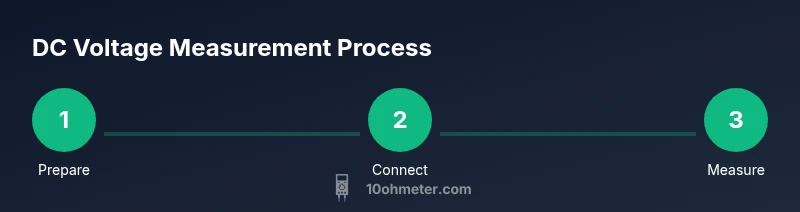
- Power down the portion of the circuit you’re about to test if safe and practical; otherwise ensure you can safely probe without causing a short. 2) Plug the black probe into the COM port and the red probe into the V/Ω/mA port. 3) Turn the dial to the DCV setting (often labeled with a solid line over three dashes). 4) If your meter offers a range option, start with a higher range and reduce it as needed to improve resolution. 5) Connect the black probe to the reference ground and the red probe to the test point. 6) Read the display, observe for stability, and record the value. 7) Remove probes in reverse order and power down if you just tested a live circuit. 8) If readings drift, recheck connections or use a fresh set of leads. This sequence is a common workflow for dcv on multimeter measurements and yields repeatable results when done with care.
Common Pitfalls and How to Avoid Them
DCV measurements are sensitive to contact quality, lead routing, and range selection. A loose ground or a misplugged lead can produce erroneous values that seem to indicate faults where none exist. In the context of dcv on multimeter, always verify that the test points are clean, the leads are fully inserted, and the meter is on the correct function. Another frequent issue is measuring through a component that changes voltage under load; in that case, results will vary as load changes. To minimize this, measure with the circuit in its expected operating state and document any observed variance. The 10ohmeter approach recommends rechecking with a known reference and avoiding measurements across capacitors without discharge.
Measuring Battery Voltage and Automotive DC Voltage
Battery and automotive systems provide straightforward examples of dcv on multimeter. A freshly charged battery should present a stable DC value close to its nominal rating, whereas a car battery under load may show a slightly lower voltage. When performing dcv on multimeter in automotive contexts, ensure the vehicle is off before connecting the meter to avoid shaving off the battery or injuring the meter’s input stage. If you need to measure while the engine is running, use caution and limit contact time to prevent arcing. This practical work illustrates how dcv on multimeter is applied to real-world tasks.
Troubleshooting Unreliable Readings
If a DCV measurement seems erratic, look for floating grounds, intermittent contact, and EMI sources nearby. Re-seat connectors, clean contacts, and try a fresh set of probes. Some meters have auto-zero or auto-calibration to reduce offset—enable these features if available. Temperature can also affect accuracy, so allow the meter and the circuit to reach ambient conditions before trusting a reading. With careful checks, you’ll improve consistency in dcv on multimeter readings across environments.
Maintenance and Calibration for Accurate DCV on Multimeter
Regular maintenance keeps dcv on multimeter readings trustworthy. Periodically inspect leads for cracks or wear, replace damaged probes, and verify the meter’s accuracy against a known reference voltage. Calibration helps preserve measurement integrity, especially in production or automotive contexts. If your tool supports it, re-calibrate using an approved reference source whenever you suspect drift. The long-term goal is to keep the dcv on multimeter readings aligned with real voltages across your projects.
Applying DCV on Multimeter in Circuits with Different Ground References
Voltage measurements can be affected by how grounds are established in a circuit. When performing dcv on multimeter, ensure you’re referencing the same ground node and avoid creating a ground loop that can skew readings. In complex assemblies, use a star grounding approach or a dedicated ground plane to minimize interference. This helps maintain accurate dcv on multimeter values across sections of a project.
Quick Tricks for Precision and Readings
Small adjustments can yield clearer data. Use a fresh battery for the meter, minimize cable length, and keep the probes perpendicular to the contact surface to reduce noise. If you need higher resolution, switch to manual range and select a range that places the measured voltage in the upper half of the display’s scale. For dcv on multimeter tasks, practice and methodical technique lead to faster, more accurate results.
Tools & Materials
- Digital multimeter (DCV capable)(Auto-range is convenient, but know your meter's range limits.)
- Test leads with standard probes(Rated to at least the expected maximum voltage.)
- Alligator clip adapters (optional)(Helps secure connections in tight spots.)
- Known voltage reference (e.g., 9V battery or calibrated reference)(Use for quick checks of accuracy.)
- Insulated gloves or safety mat(Provide extra protection for high-energy measurements.)
- Clean contact surfaces (isopropyl alcohol)(Removes oxidation to improve contact.)
- Non-conductive tool or probe caps(Prevents accidental shorts when not measuring.)
Steps
Estimated time: 15-20 minutes
- 1
Inspect equipment and safety
Check the meter, leads, and test points for damage. Ensure hands are dry and surfaces are clean. This establishes a safe baseline for dcv on multimeter measurements.
Tip: If you see cracks or exposed wires, replace the leads before proceeding. - 2
Identify ground and test point
Find a solid ground reference and the point where you want to measure the voltage. Accurate dcv on multimeter requires a stable reference node.
Tip: Avoid measuring across moving parts or near heat sources which can introduce noise. - 3
Connect probes correctly
Insert the black probe into COM and the red probe into V/Ω/mA. Ensure full insertion to avoid intermittent contact during the test.
Tip: Keep one hand away from the probes to minimize shock risk. - 4
Set the DCV function and range
Turn the dial to the DCV symbol and select an appropriate range. If unsure, start high and step down until the reading sits comfortably in the display.
Tip: Auto-range meters simplify this, but manual range can improve accuracy if set properly. - 5
Make the measurement
Touch the red probe to the target point and the black probe to ground. Read the display and hold position until stable.
Tip: If the reading is unstable, recheck contact and remove noise sources. - 6
Verify and record
Repeat the measurement to confirm stability. Document the reading and the test conditions for future reference.
Tip: Compare with a known reference to verify accuracy. - 7
Power down and disconnect
Carefully remove probes, power down the system if appropriate, and store the leads properly.
Tip: Never yank leads; grasp the plug and withdraw gradually.
Your Questions Answered
What does DCV on multimeter mean?
DCV stands for direct-current voltage. In this mode, the meter measures steady voltages like those from batteries or power rails. Ensure you’re in DCV mode to avoid incorrect readings from AC measurements.
DCV on a multimeter stands for direct-current voltage. Use this mode for steady voltages, making sure you’re not mixing it with AC settings.
Can I measure live circuits with DCV on multimeter?
Yes, you can measure live DC circuits, but proceed with heightened caution. Always start with the highest possible range and contact points that minimize exposure, and consider powering down if safe to do so.
You can measure live DC circuits, but be careful. Use a safe range and proper probes; power down if practical.
Why does my reading drift or bounce when measuring DC voltage?
Drift can result from loose connections, dirty contacts, EMI, or an unstable source. Recheck connections, clean contacts, and attempt a measurement with shorter leads to stabilize the dcv on multimeter value.
Voltage drift usually comes from loose contacts or interference. Recheck connections and use shorter leads.
What’s the difference between DCV and ACV settings?
DCV measures steady voltages; ACV measures alternating voltage. Using the wrong setting yields incorrect readings or damages the meter’s input protection.
DCV is for steady voltage; ACV is for changing voltage. Use the correct setting to avoid wrong readings.
How do I measure a battery voltage with dcv on multimeter?
Connect the black probe to the negative terminal and the red probe to the positive terminal, in DCV mode with an appropriate range. Read the voltage and compare with the battery’s rated value.
Put the black lead on negative, red on positive, in DCV mode, and compare to the battery's specs.
What safety precautions should I follow for DCV measurements?
Wear PPE as needed, avoid touching probe tips, and work on insulated surfaces. De-energize circuits when possible and keep those test connections secure to prevent shorts.
Wear safety gear, keep fingers off the probes, and de-energize circuits when possible.
Watch Video
Key Takeaways
- Learn the DCV function and set the proper range for accurate dcv on multimeter.
- Use correct probe technique and ground references to improve repeatability.
- Verify readings with a known reference and document test conditions.
- Practice safety and isolate live circuits to reduce risk during dcv on multimeter.
- The 10ohmeter team recommends routine checks of leads and calibration for reliable measurements.